
Report Scheduling
Premium Feature — early access
Schedule your Power BI reports. Send them to anyone.
Email Power BI reports automatically — to customers, partners and colleagues, licensed or not, inside your organization or outside it. Row-level security controls exactly what each recipient sees.
30-day free trial of the Embedsy Portal. Prefer a live walkthrough? Book a free demo.
Why native Power BI subscriptions fall short
Native subscriptions need a Pro license
Every recipient of a native Power BI subscription generally needs a Power BI Pro (or PPU) license. That doesn't work at scale — or for anyone outside your tenant.
External users are hard to reach
Power BI's built-in email subscriptions are built around licensed users of your own tenant. Reaching people truly outside it by email generally needs a Premium capacity — Fabric F64 or above — or one of a few workarounds.
Manual exports don't scale
Someone emailing PDFs every Monday is a single point of failure — and a wrong number reaches every inbox until someone notices.
The Embedsy way
The Embedsy Portal runs in your own environment, so the people you serve through it never needed individual Power BI licenses in the first place. Report Scheduling extends that to the inbox.
Send to anyone
Licensed or not, inside your organization or outside it — if they have an inbox, they can receive a report on a schedule from your Embedsy Portal.
Row-level security, applied correctly
Recipients with a Portal account get their own data automatically, resolved from their identity. For recipients with no account at all, you set the row-level security role explicitly per schedule — full control, no accidental data leaks.
Set it, monitor it
Choose the report, recipients and cadence. Every schedule shows a health status, so you always know at a glance if something needs attention.
No third-party email service
Reports are emailed straight from your own Microsoft 365 tenant — never routed through a third-party mailer, so there's no extra service or added cost for sending them.
How it works
Pick the report and cadence
Choose a report, an optional saved bookmark, and how often it should go out — weekly or monthly.
Add recipients, even without a Portal account
Portal users get their own data automatically. For anyone else, set the row-level role once and they're covered too.
It runs itself
Each schedule shows a health status, so you always know at a glance if something needs attention.
Regular reports export as PDF, PowerPoint or PNG; paginated reports as PDF or Excel. A test send and a per-schedule health status are built in. See the full setup walkthrough →
What it looks like
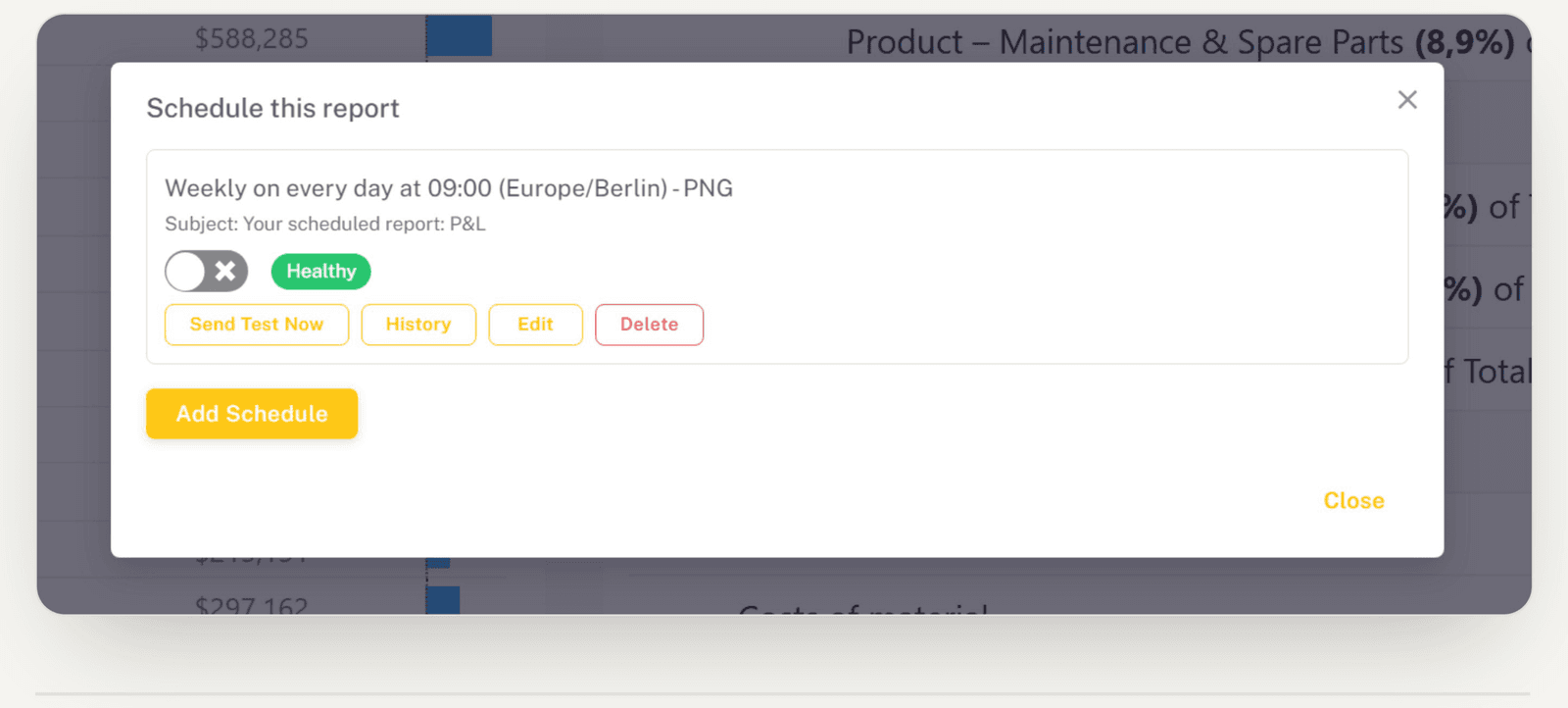
Set it up from the report itself
Open a report, add a schedule, pick the format and cadence. No separate tool, no ticket to IT.
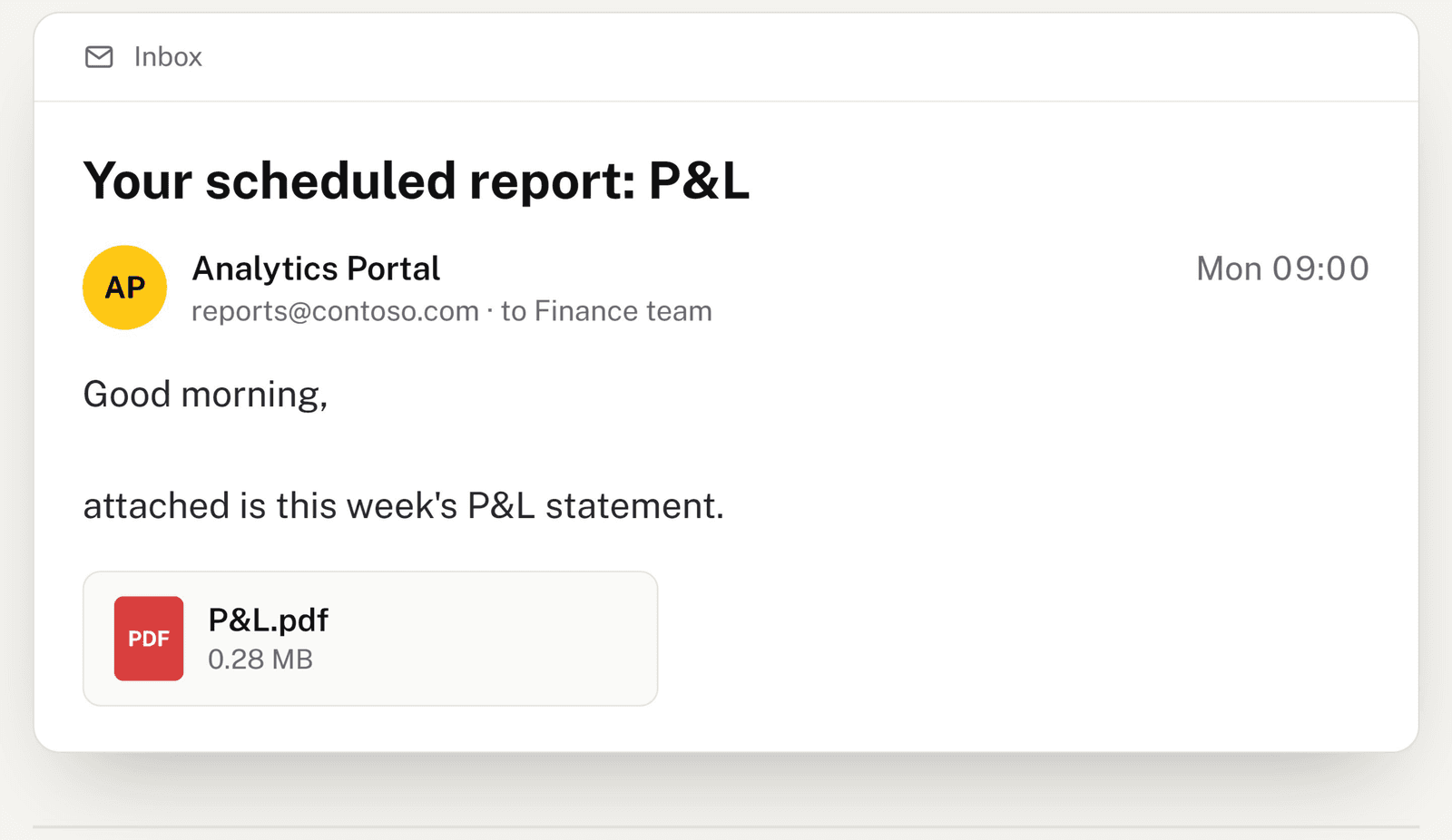
It lands in anyone's inbox
Colleagues, clients and partners get the report as an attachment, whether or not they have a Power BI licence.
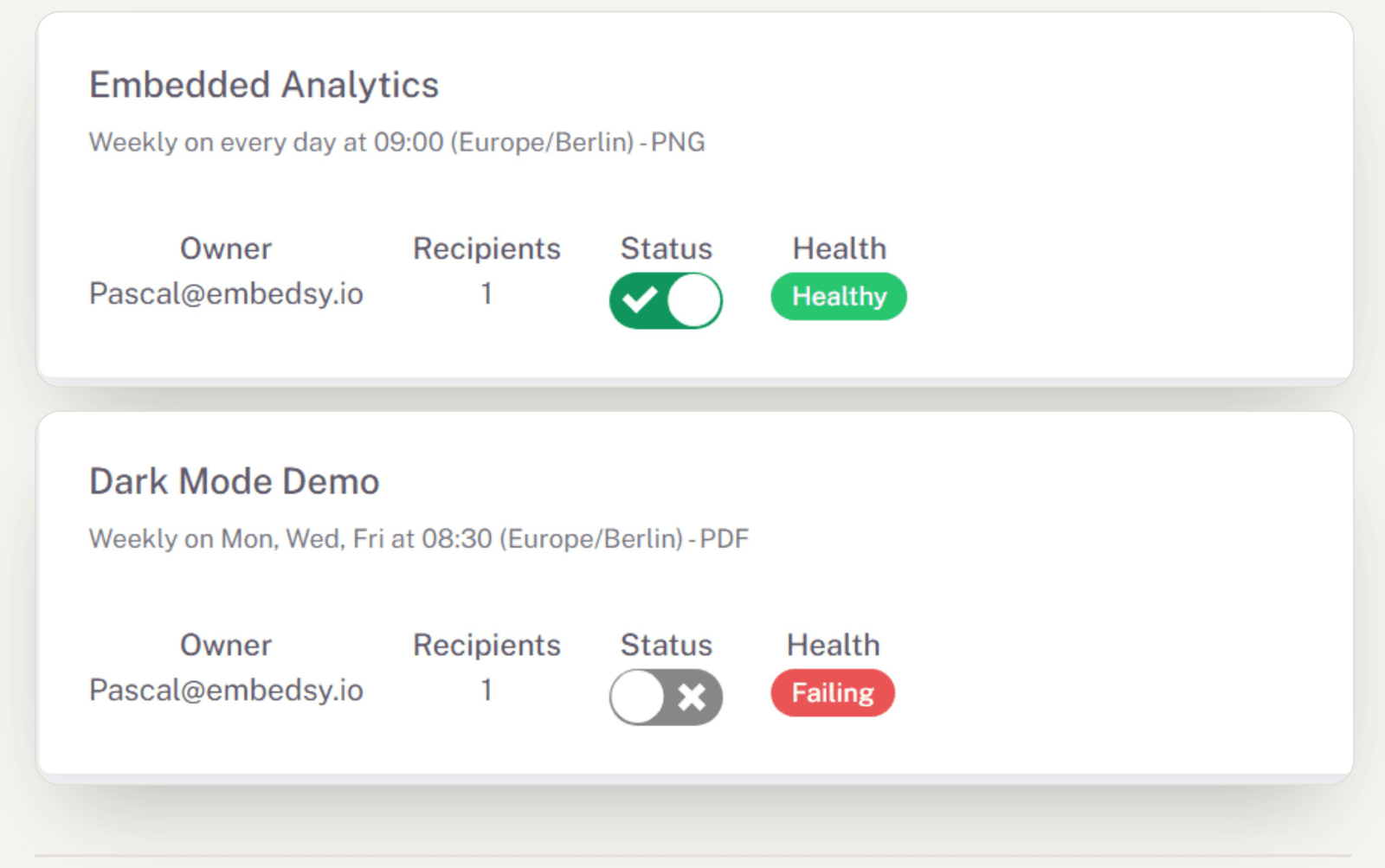
Every schedule on one screen
See who sends what, pause anything, and spot a failing schedule at a glance.
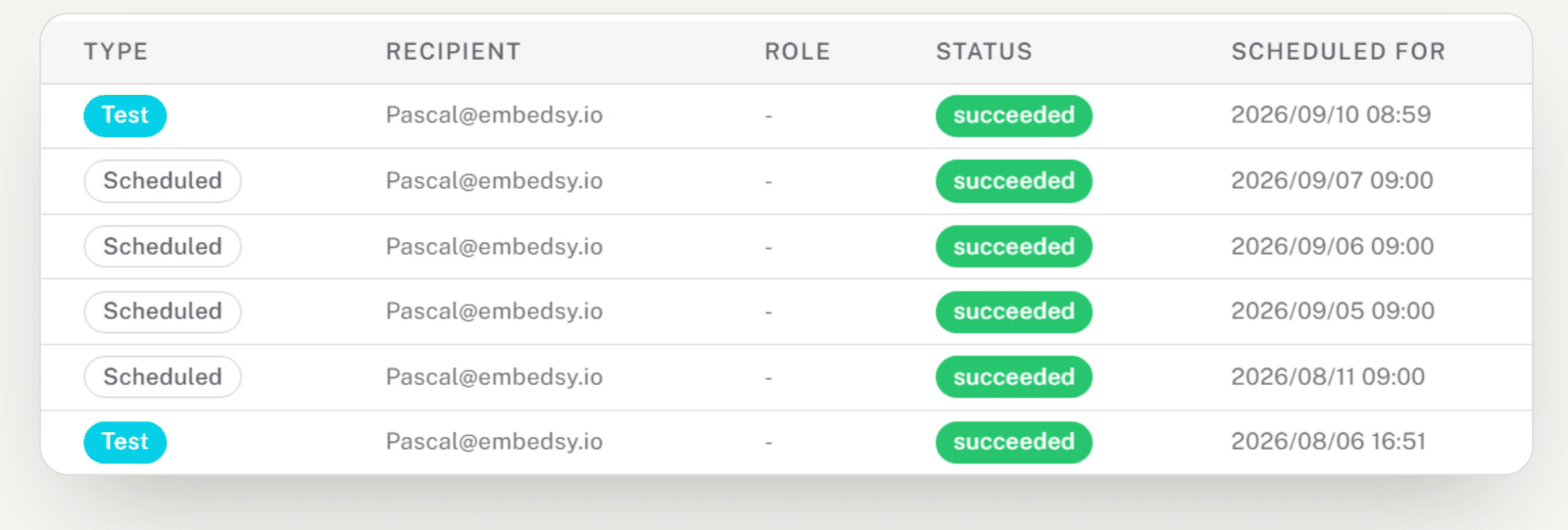
Know it worked, every time
Every send is logged, tests included. Failed deliveries retry automatically, and the owner is emailed if a schedule stops.
Included in the Premium Features bundle
Report Scheduling ships as part of Embedsy's Premium Features bundle, together with Public Embed and Embedsy Studio, currently available in early access. See current bundle pricing on the pricing page.
Ready to put report delivery on autopilot?
See a report of yours go out on a schedule — to a colleague, a client, or an inbox with no Power BI license at all.
Prefer a live walkthrough? Book a free demo