
Smart Capacity
Included in every plan
Only pay for your Fabric capacity when it's actually used.
Run it around the clock, or let the Embedsy Portal start and pause it for you, based on real usage. Pay-as-you-go capacity is billed only when it is in use.
30-day free trial of the Embedsy Portal. Prefer a live walkthrough? Book a free demo.
Three ways to run your capacity
Which one fits depends on how you bought the capacity. The first two save money on a pay-as-you-go capacity, which is billed only when it is in use. On a reserved capacity there is nothing to save by pausing, so leave it on.
Auto start and pause
The capacity starts when someone opens a report and pauses again after a quiet period you choose. Most of our customers run it this way, and on a pay-as-you-go capacity it can take a large share off the bill.
Scheduled windows
Fixed windows keep the capacity running for data refreshes and other background jobs. Auto start and pause covers everything outside them.
Always on
The capacity runs around the clock. This is the sensible choice on a reserved capacity, which is paid for whether it runs or not.
Starts when needed. Pauses when not.
Nobody has to remember to switch anything on, and nobody pays for a capacity that spent the night idle.
Someone opens a report
The capacity starts automatically, in seconds.
People keep working
It stays on for as long as the portal is being used.
Everyone is done
After the minutes of inactivity you set, it pauses itself again.
Pay for hours, not for the whole week
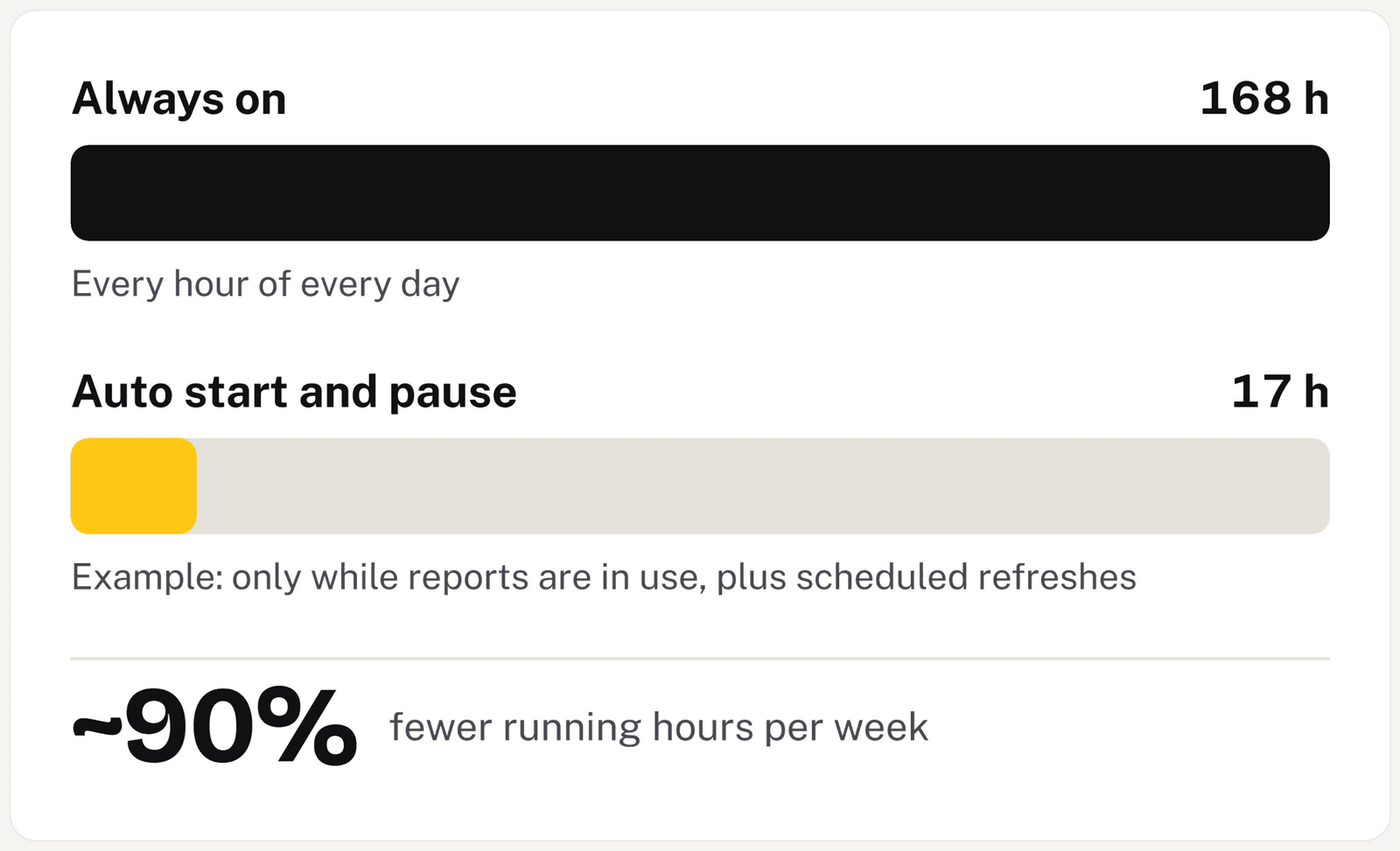
A capacity that is always on bills 168 hours a week. In the example below, the same portal runs for 17 — the hours people actually spend in reports, plus the scheduled refresh windows. Your own figure depends entirely on when your users work and how often your data refreshes.
Want the number for your own setup? Ask us for a cost estimate — tell us how many users you expect and what you run today, and we'll come back with what it costs, Azure included.
What it looks like
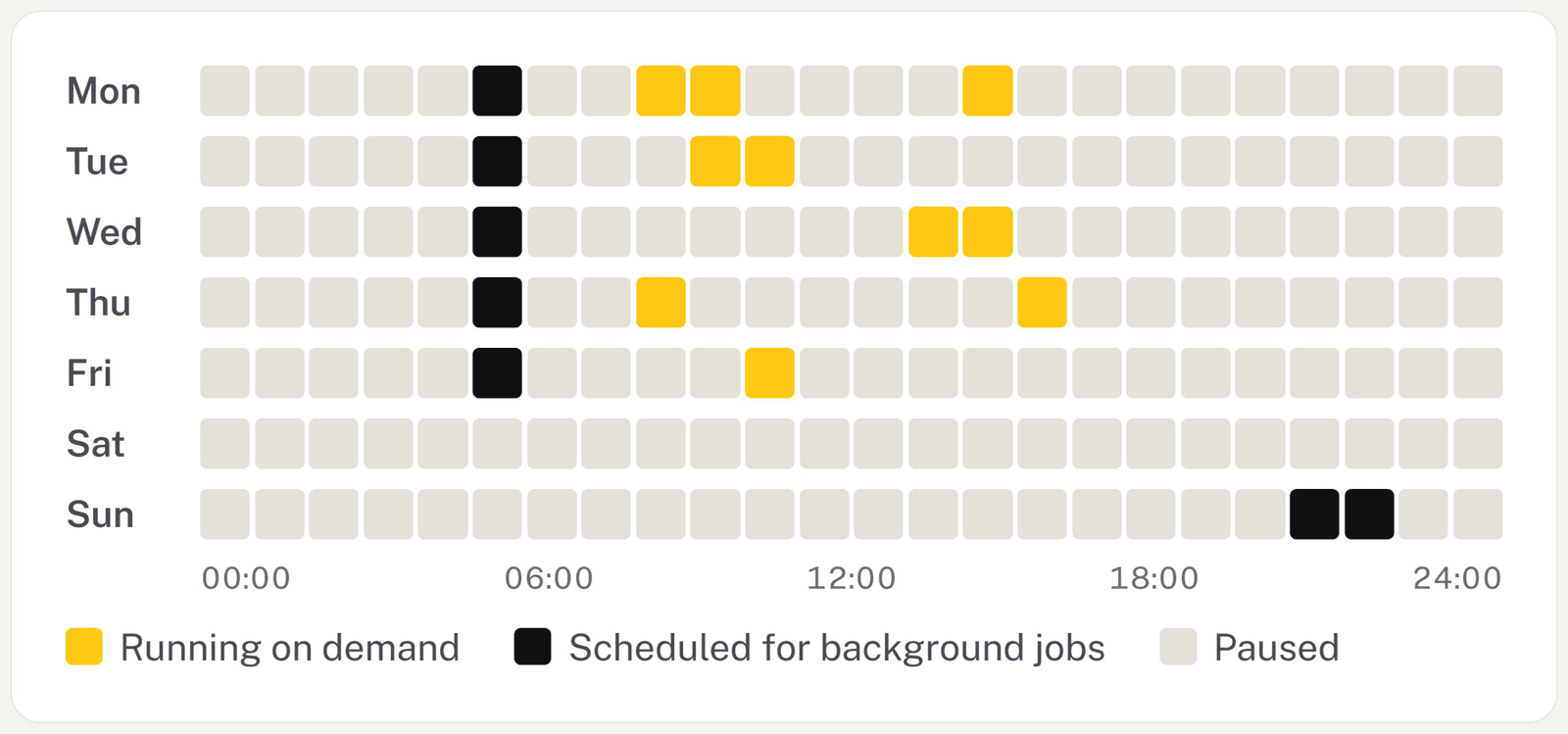
A week of running hours
A typical week: short bursts while people are working, a nightly window for refreshes, and paused for most of the remaining hours.
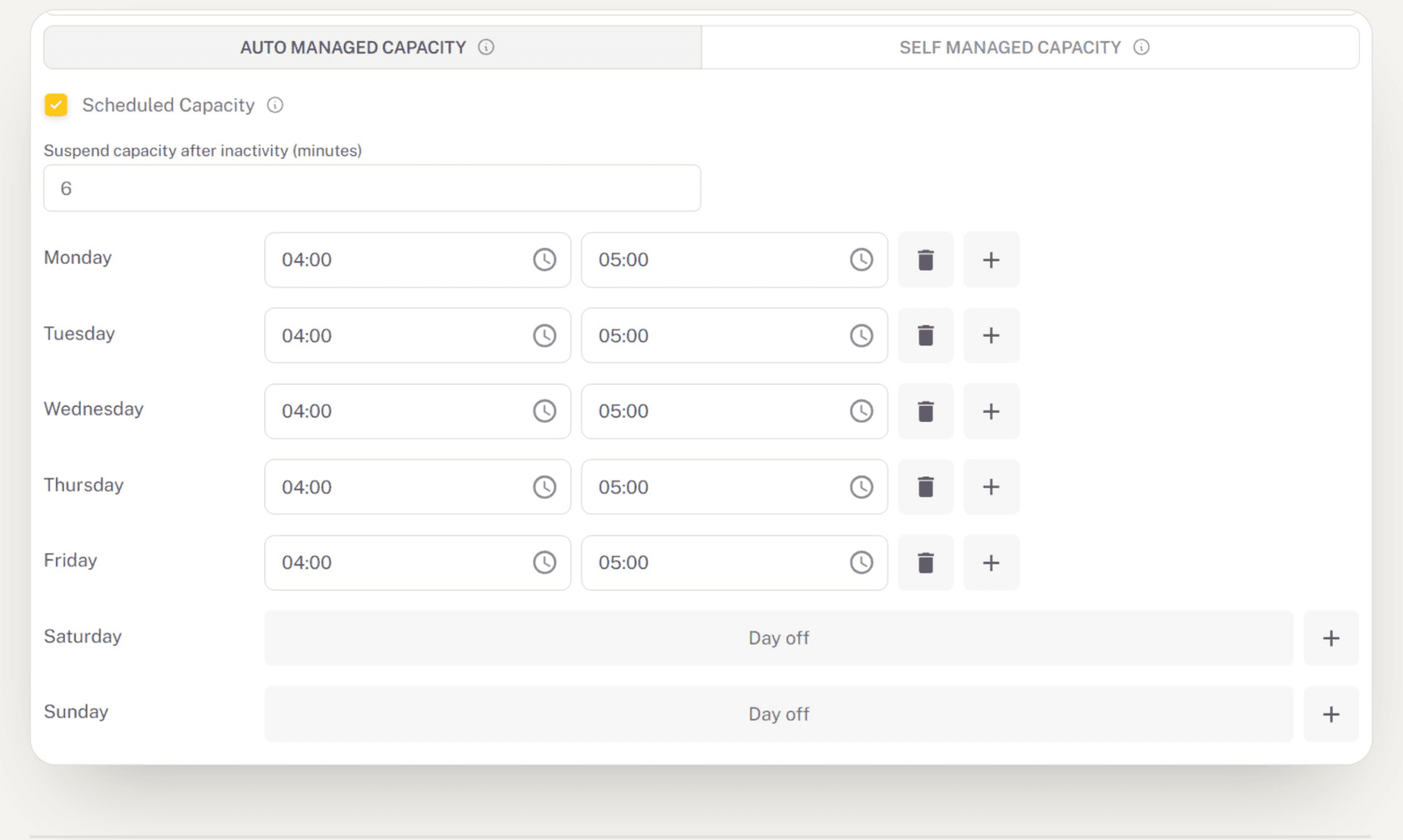
Set it once
Switch modes, set the minutes of inactivity before pausing, and give each day its own window or mark it a day off.
Choosing a capacity, switching modes and setting the schedule, step by step: See the capacity walkthrough →
Included in every plan
Smart Capacity is part of the Embedsy Portal, not a paid add-on. Every plan has it, including the free trial. See what the plans cost.
Pausing an idle capacity cuts the hours you pay for. If the problem is that the capacity is too small, too large or working too hard, that is a different question, and we look at it with you on capacity optimisation.
Stop paying for idle capacity.
Power BI that is ready when your users are, and paused when they are not.
Prefer a live walkthrough? Book a free demo