
Sep 10, 2026
How to Build a White-Label Power BI Portal for Your Customers (2026)
ByPascal Kiefer
How to Build a White-Label Power BI Portal for Your Customers
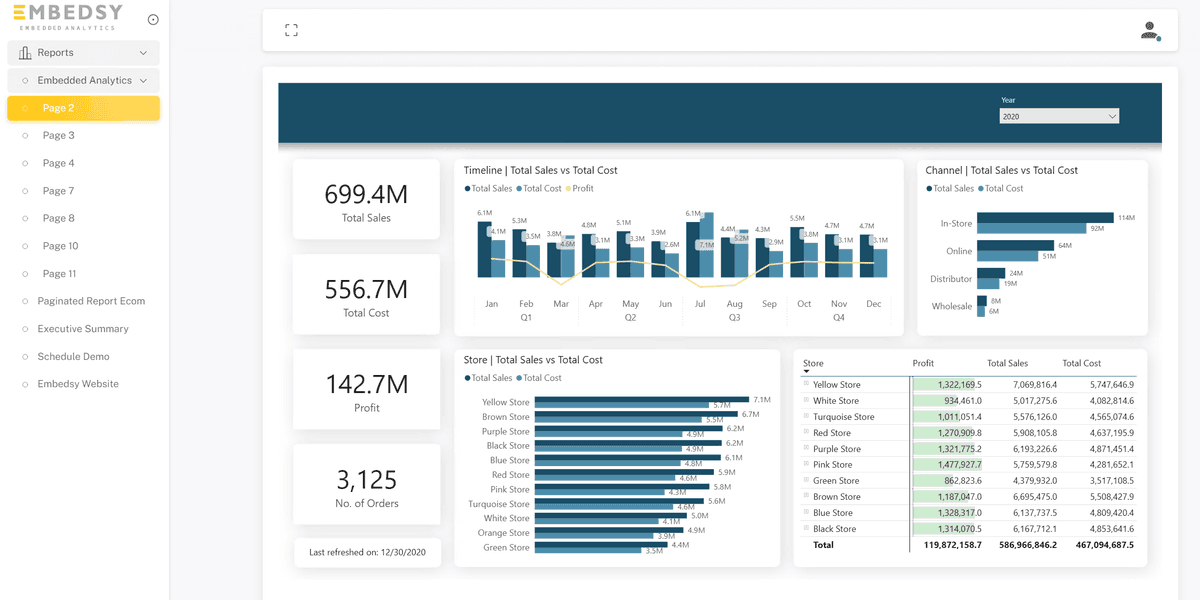
A white-label Power BI portal is a web application where your customers, partners or members log in on your domain, see your branding, and interact with Power BI reports that show only their data. Nothing on screen says Power BI, nobody needs a Power BI license, and the whole thing feels like part of your product.
Plenty of companies want one. Consultancies who want to productize their reporting, software vendors adding analytics to their app, and organizations with hundreds of external stakeholders who are tired of emailing PDFs. This guide covers what a white-label portal actually has to do, the three ways to get one, what each costs, and how to launch one in days rather than months.
Plenty of companies want one. Consultancies who want to productize their reporting, software vendors adding analytics to their app, and organizations with hundreds of external stakeholders who are tired of emailing PDFs. This guide covers what a white-label portal actually has to do, the three ways to get one, what each costs, and how to launch one in days rather than months.
What "white-label" has to mean in practice
A logo swap is not a white-label portal. To pass for your own product the portal needs to cover all of the following, and it is worth checking any option against this list before you commit.
- Your domain. analytics.yourcompany.com, with a valid certificate, not a Microsoft URL.
- Your visual identity. Logo, colors, fonts, favicon, browser tab title, and a dark mode if your brand has one. The Power BI report theme should match the surrounding portal. If you serve several customers from one portal, each of them should see their own brand, not yours; the Embedsy Portal does this with branding per client.
- Your login. Customers sign in the way they already do, whether that is Microsoft Entra ID, Google, or an identity provider of your choosing. They never see a Power BI sign-in page.
- No viewer licenses. The portal has to use the app-owns-data embedding model, where Microsoft's documentation confirms that end users need no Power BI license. Otherwise every customer costs $14 a month before they log in.
- Tenant isolation. Customer A never sees customer B. That means row-level security inside shared reports, and separate pages, reports or workspaces where the data is genuinely separate.
- Roles and page access. Not everyone at a customer should see everything. Managers get the full dashboard, operators get their site.
- Self-service administration. Your team invites users, assigns roles and publishes new reports without a developer.
- Cost control. The Fabric capacity behind the portal is the main running cost. If it can't pause when idle, you pay for nights and weekends.
- Room to grow. Scheduled report emails, public embeds for marketing pages, writeback, custom pages beyond Power BI.
Three ways to get a white-label Power BI portal
1. Build on the Power BI Embedded API
Microsoft's embedded analytics API and JavaScript SDK let you render any report inside your own web page, with a service principal doing the authentication and an embed token carrying the user's RLS roles. Everything on the checklist above is possible. Everything on the checklist above is also yours to build: authentication, the user and role model, multi-tenant separation, the admin interface, capacity pause and resume, token refresh, and the maintenance of all of it as Power BI evolves. Our build vs buy post breaks down the effort. It is the right path when analytics is deeply intertwined with a product you already engineer, and a slow, expensive one otherwise.
2. A Power BI app with a custom theme
Power BI apps can carry your logo and colors, and on an F64 or larger capacity external guests with a Free license can open them. But the app lives inside the Power BI service at app.powerbi.com, the navigation and chrome are Microsoft's, guests need a Microsoft account and a place in your Entra tenant, and below F64 every guest needs a Pro license. It is branded, not white-label, and it starts at roughly $8,400 a month for the capacity that makes it license-free.
3. A portal product on top of Power BI Embedded
A portal product is the application layer from option 1, already built: it uses the same app-owns-data embedding, so viewers need no license and the capacity can be any size, and it ships with the branding, login, roles, multi-tenancy and admin screens included. The trade-off is that you work within the product's model rather than designing your own, which is why the better ones let you add custom pages and development on top. The Embedsy Portal is this option, with one difference from most: it deploys into your own Azure subscription, so your data and the portal stay in your environment rather than a vendor's.
Step by step: launching a white-label portal with Embedsy
This is the sequence our customers go through. With the prerequisites in place it takes a day, most of which is waiting for DNS.
Step 1: Install into your Azure environment
Go to install.embedsy.io. The wizard checks the prerequisites (a Microsoft tenant, an Azure subscription, a Power BI workspace with reports) and deploys the portal's resources into your subscription: an App Service, a small SQL database and storage. The get started page and the installation guide walk through the remaining setup, including the service principal that lets the portal read your workspaces.
Step 2: Connect a capacity
The portal runs on any Fabric F SKU or Power BI Embedded A SKU. Start on an F2 or F4 for a typical customer portal and turn on auto-pause so the capacity only runs while someone is logged in. Sizing and prices are in our 2026 pricing guide; connecting the capacity is covered in the capacity documentation.
Step 3: Apply your branding
In Global Settings you set the logo, colors, browser tab title, landing page and optional dark mode. Reports keep their own Power BI theme, so align that theme with the portal colors in Power BI Desktop for a seamless look. Our post on dark mode in Power BI Embedded shows what that looks like.
Step 4: Put it on your domain
The portal is first reachable at an azurewebsites.net address. Add a custom domain in the Azure Portal, create the DNS records with your registrar, and enable the managed certificate for HTTPS. The custom domain guide has the exact steps; tell us the domain in advance so we can complete our side of the setup.
Step 5: Decide how customers sign in
Microsoft Entra ID is the default, and Entra groups can map directly to portal roles so access follows your directory. For customers outside the Microsoft world, additional providers such as Google can be enabled. Either way, the sign-in page is the portal's, on your domain.
Step 6: Model your customers as roles, pages and users
Create a role per customer or per customer segment, assign the pages and reports that role may see, and map RLS roles so shared reports filter to that customer's rows. Then invite users into roles. The roles, pages and users guide explains the model, and the view-as feature lets you check exactly what a given customer will see before they do.
Step 7: Add what a report viewer can't do
This is where a portal stops being a report viewer. Report Scheduling emails each customer their report as PDF, PowerPoint or Excel on a schedule. Public Embed puts a secured visual on your marketing site. Embedsy Studio lets you build custom pages, forms, writeback and AI agents over your semantic models inside the same portal. And if you need something that doesn't exist, custom development is part of what we do.
What it costs
Three parts, all of them predictable:
- Capacity. From about $263 a month for an always-on F2 at US list price, and well under $100 a month if it pauses outside business hours. Scales with concurrent load, not with the number of customers.
- Portal. The Embedsy Portal Standard plan is $4 per portal user per month with 20 users included, from $80 a month. Premium add-ons (scheduling, public embed, Studio) are a flat $99 a month for all of them. Everything has a 30-day free trial.
- Azure resources. The App Service, SQL database and storage the portal runs on, billed by Azure in your subscription and typically modest.
Frequently asked questions
Can each customer have completely different reports?
Yes. Roles control which pages and reports a user sees, so one customer can have a different set of reports from another, or the same report filtered by RLS, or a mix. Reports can come from different workspaces.
Do my customers need a Microsoft account?
Not necessarily. Entra ID is the most common choice because most businesses already have it, but other identity providers can be enabled. The portal's login page is on your domain either way.
Where does the data live?
In your Azure subscription and your Power BI tenant. The Embedsy Portal is deployed into your environment; nothing is copied to ours. You choose the Azure region during installation.
I'm a consultancy. Can I run one portal per client?
Yes, and many of our partners do. Each client gets their own installation in their own Azure subscription, branded for them, and you administer it. The Ambassador Program is built for exactly this.
How long does it really take?
Installation is under an hour. Branding, roles and users are an afternoon. The custom domain depends on how quickly your DNS changes propagate. Going live in the same week is normal.
Key takeaway
A white-label Power BI portal is the app-owns-data embedding model with a proper application around it: your domain, your branding, your login, your roles, and no Power BI license for the people using it. You can build that application, or you can install one that exists and spend your time on the reports instead.
Try the Embedsy Portal free for 30 days in your own Azure environment, or book a demo and we'll walk through a live portal with your use case in mind.
Try the Embedsy Portal free for 30 days in your own Azure environment, or book a demo and we'll walk through a live portal with your use case in mind.
Related reading

Nov 19, 2024Updated Sep 10, 2026
How to Share Power BI Reports with External Users Without a Pro License (2026)

Vlad Mihanta

Aug 20, 2024Updated Sep 10, 2026
Power BI Embedded Pricing in 2026: What a Capacity Really Costs

Pascal Kiefer
See also