


Using Entra groups as roles
Import Microsoft Entra security groups into the Embedsy Portal and each group becomes a role. Give the role its pages once, and everyone in the group gets them automatically, and loses them when they leave the group. You manage group membership in Entra instead of assigning users in the portal.
How users get an Entra role
- Each time a user opens the portal, it checks which imported groups they belong to, including through nested groups.
- A user in one imported group gets that group's role. A user in several gets a combined role with the pages of all those groups (see Combined Entra roles).
- A user who is in no imported group anymore goes back to the guest role.
- Only users whose role is guest or an Entra role are changed. Users you have given any other role, admins and super admins keep their role.
Importing groups
Importing groups requires a super admin, and the portal's service principal needs the extra Microsoft Graph permissions described in Service Principal (Step 11: Additional Application permissions).
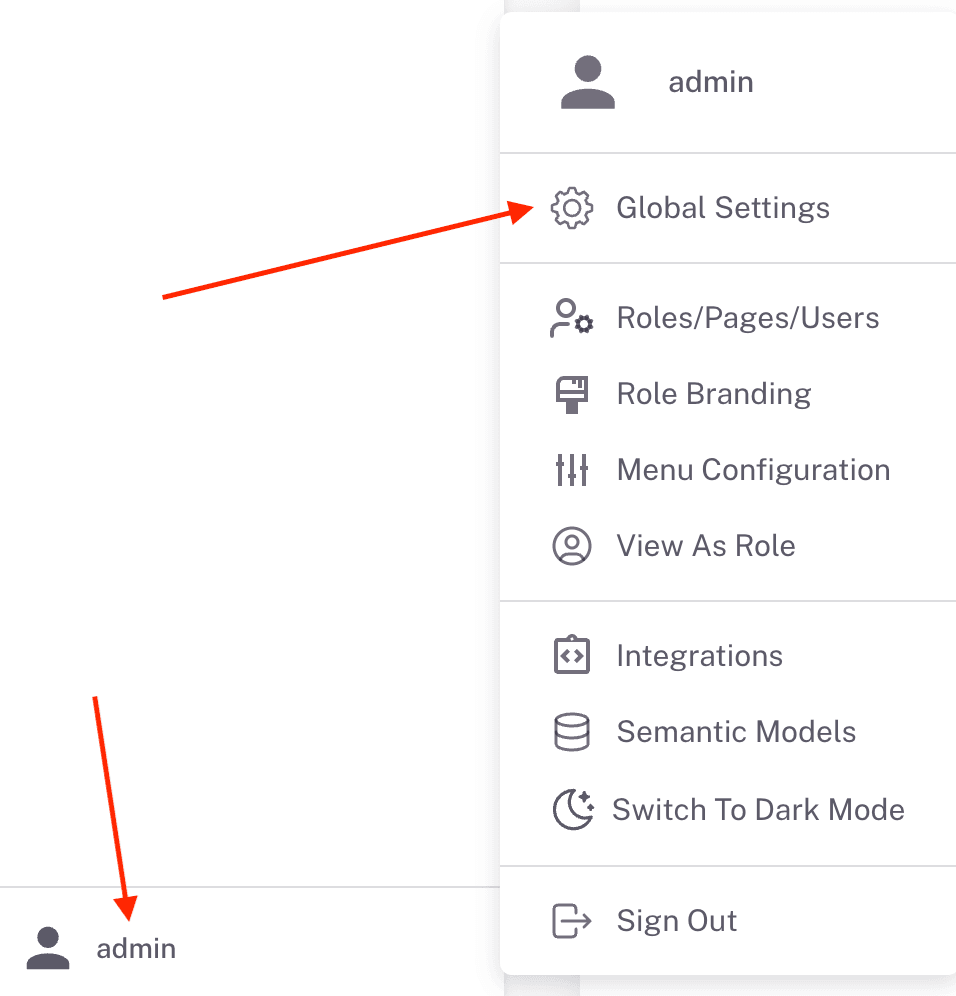
- Open the user menu at the bottom of the navigation and click Global Settings.
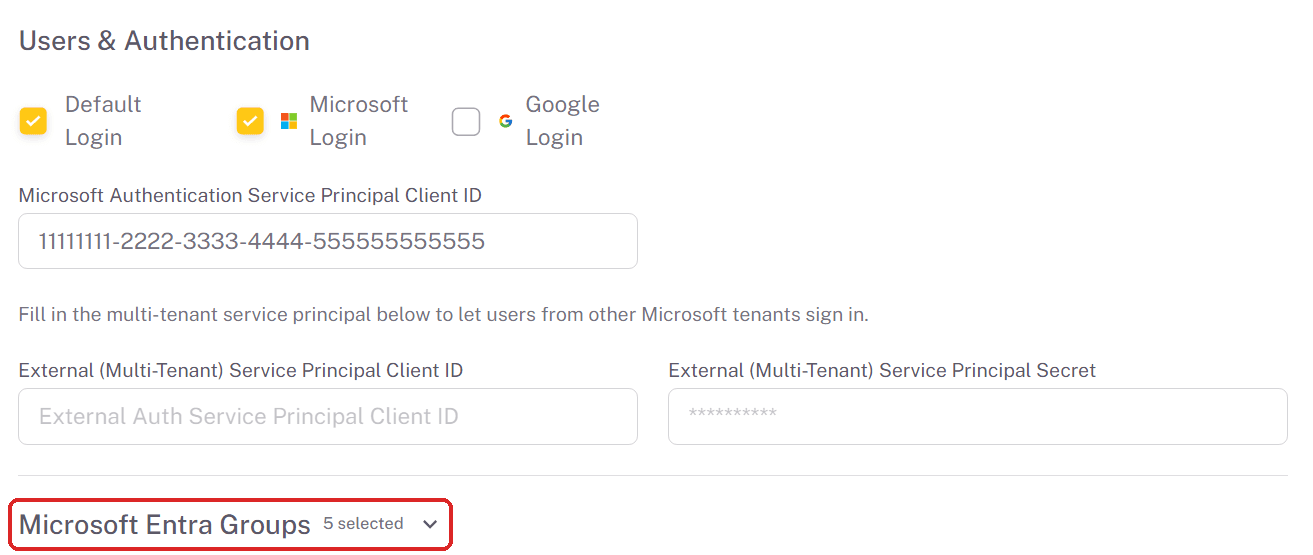
- Expand Microsoft Entra Groups, below Users & Authentication. The heading shows how many groups are selected.
- Check the groups to import, and uncheck any you want to remove. Use Search Entra groups and Load more to find a group. Only security groups that are not mail-enabled are listed.
- Click Save Changes at the bottom of Global Settings.
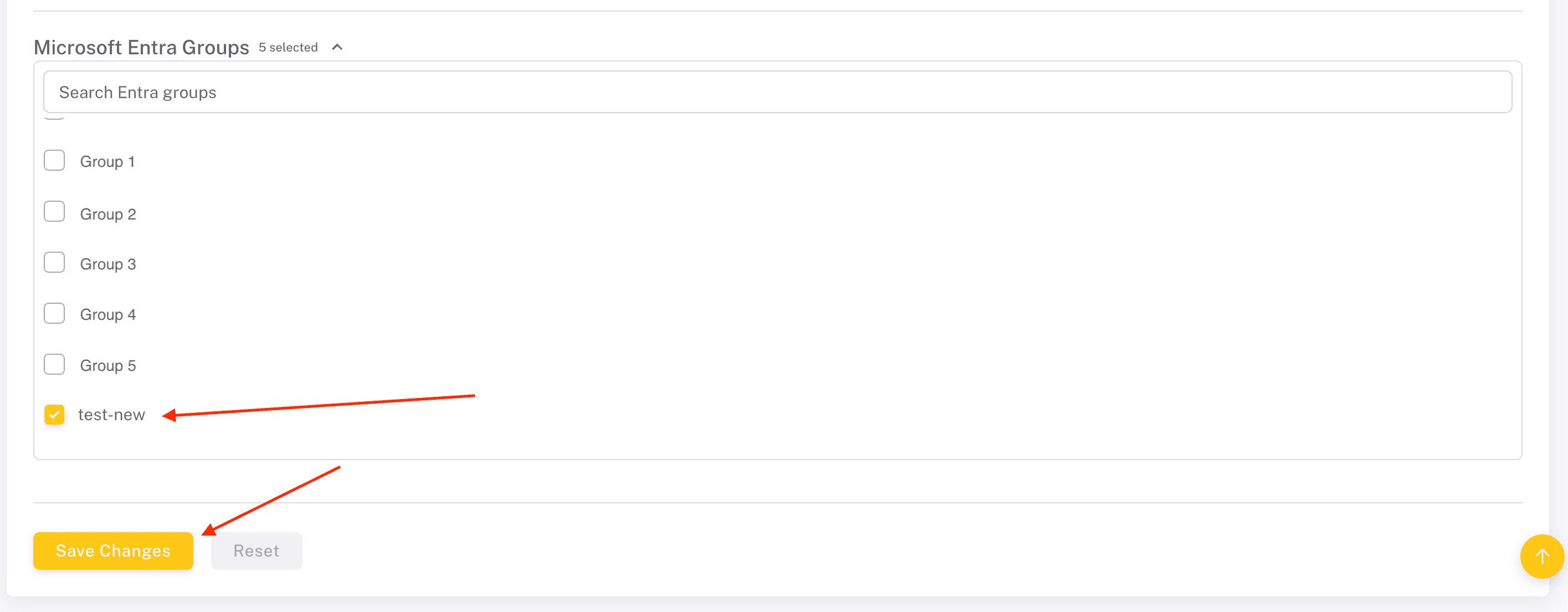
Unchecking a group deletes its role, including the pages you gave it. Its members go back to the guest role. Importing the group again creates a new role without pages.
Giving an Entra role its pages
- Open Roles/Pages/Users and, on the Roles tab, set Filter By Role Type to Entra.
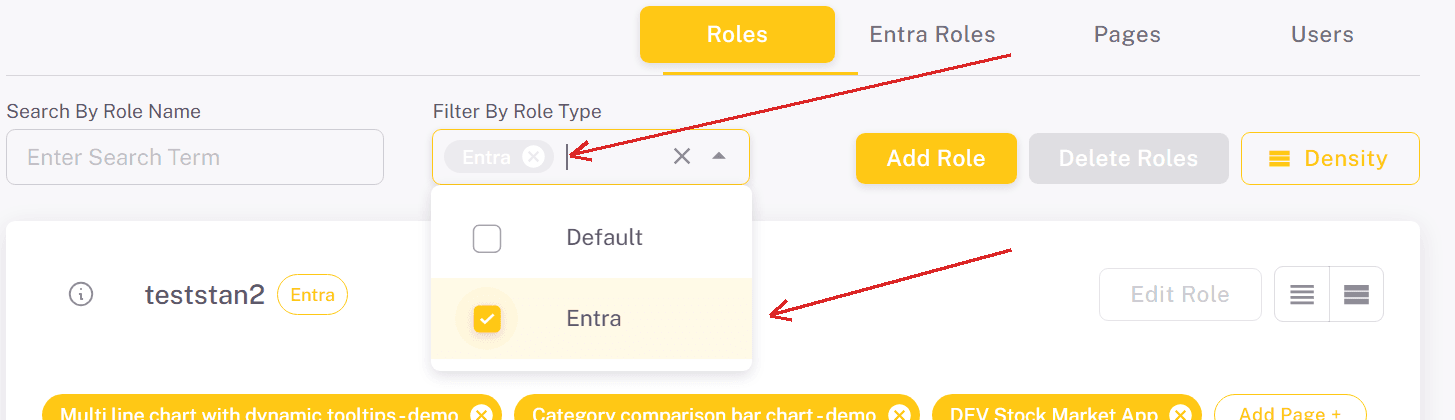
- On the role's card, which carries an Entra tag, click Add Page +. You can also give the role an existing page with Add Role + on the Pages tab.
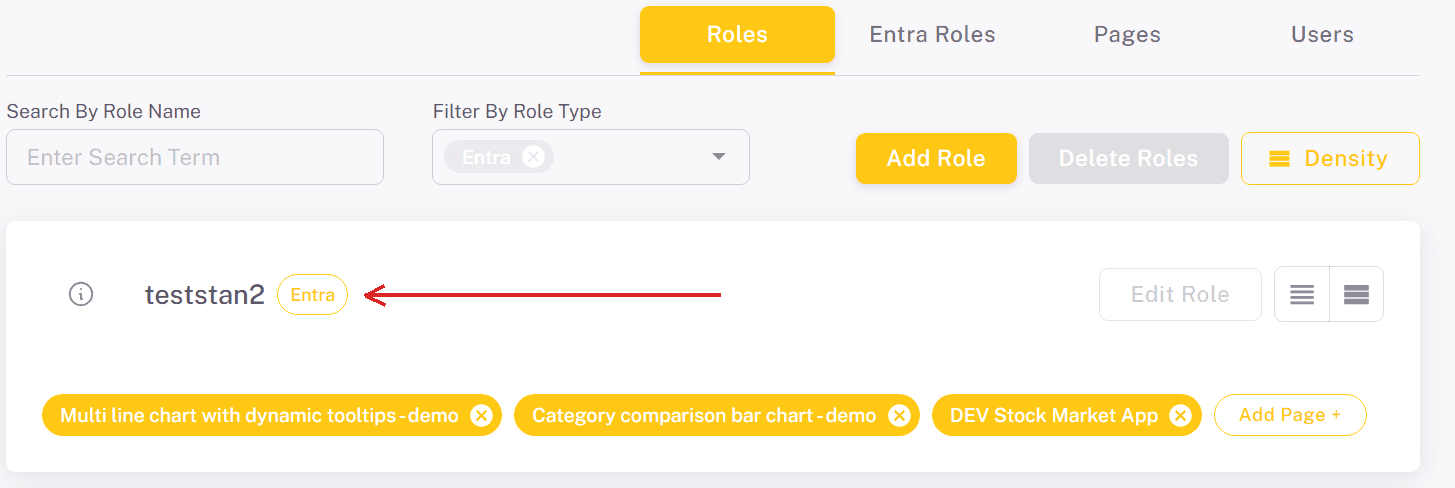
Entra roles take their name from the group and can't be edited or deleted on the Roles tab, and you don't assign users to them: membership comes from Entra. A role created from a single group has all its permissions, such as exporting or refreshing, turned off. How pages and roles work in general is described in Roles, Pages and Users.
Combined Entra roles
When a user belongs to more than one imported group, the portal creates a combined role for that set of groups. The Entra Roles tab of Roles/Pages/Users lists these roles with the number of member groups. Click View / Edit to change:
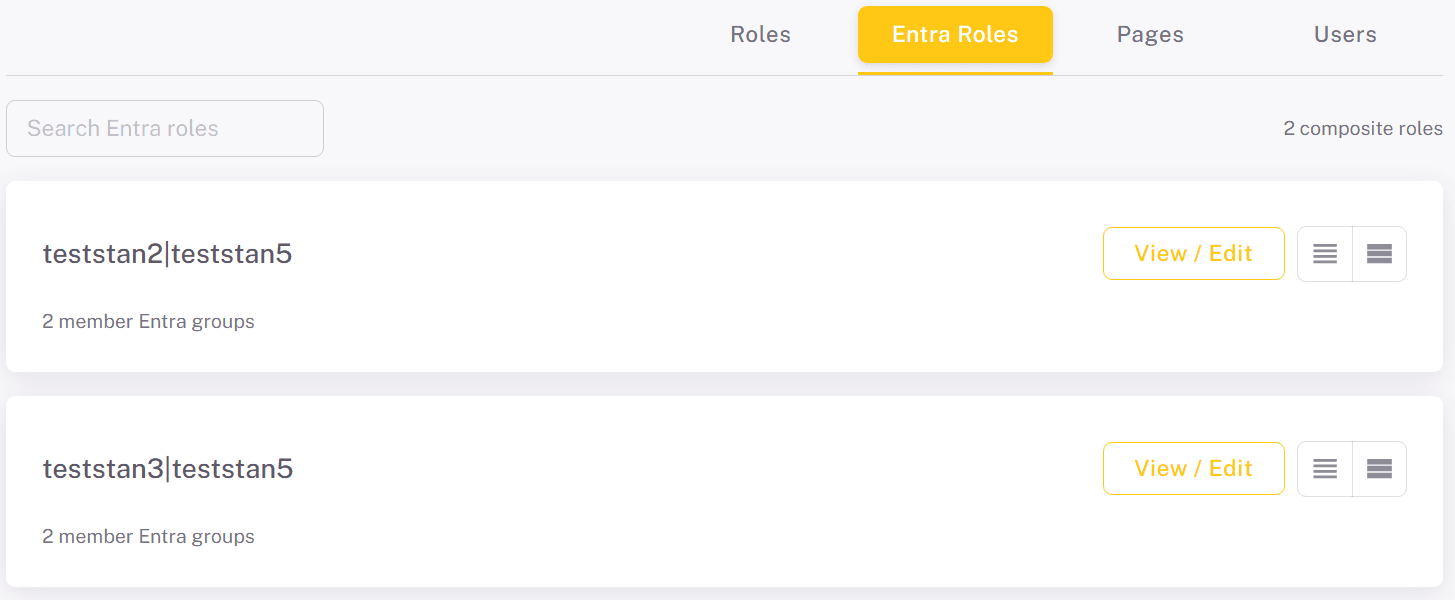
- Friendly name - the name shown for the role in the portal.
- The permissions, the same checkboxes as for any other role.
- Pages (union from member groups) - the pages of all member groups. Add Page + adds a page to every member group, so users who are in only one of those groups see it too.
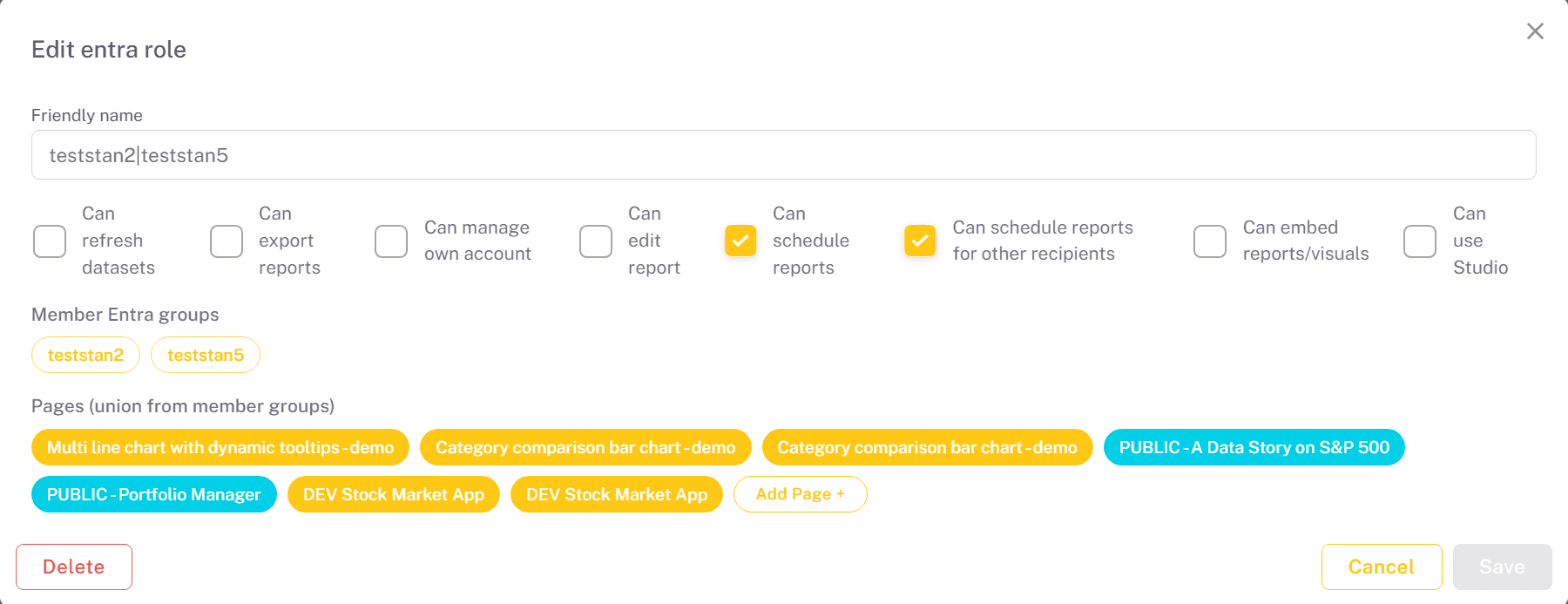
Click Save to apply your changes. Delete removes the combined role; users who had it get the right role again the next time they sign in.
Checking who gets what
On the Users tab, each user card shows the user's Entra Role and Entra Groups, and Search by Entra group lists the members of a group. To see the portal as an Entra role sees it, use View As Role; Entra roles are marked (Entra) there.