


Make changes to the Fabric / Power BI Admin Settings
For the Embedsy Portal to embed your Power BI reports, two tenant settings must be enabled in Fabric. Changing them requires the Fabric administrator role.
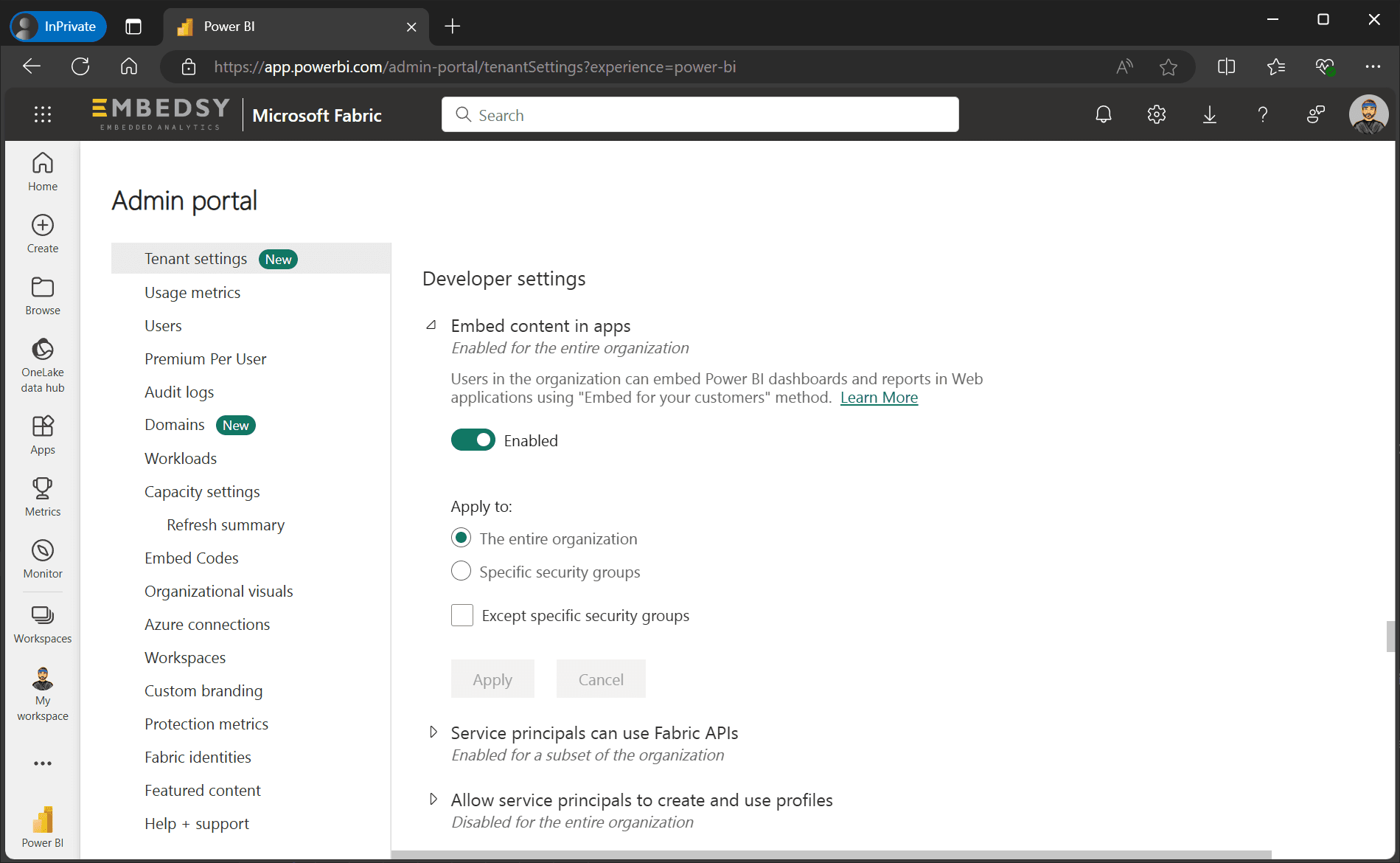
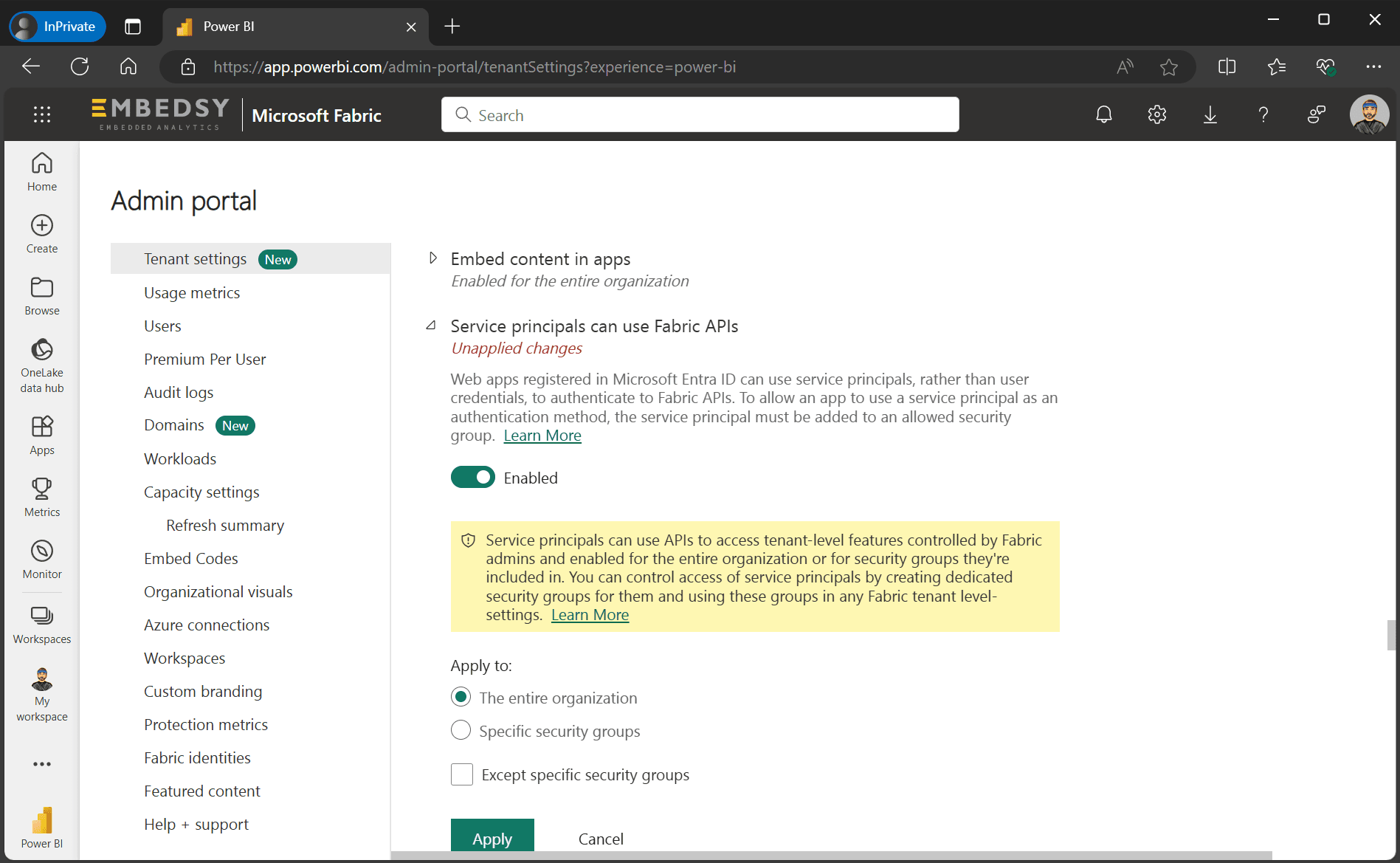
Enable the settings for the security group only, not the entire organization. Under Apply to, choose Specific security groups and add the group that contains the Service Principal, which you created in this step of the installation.
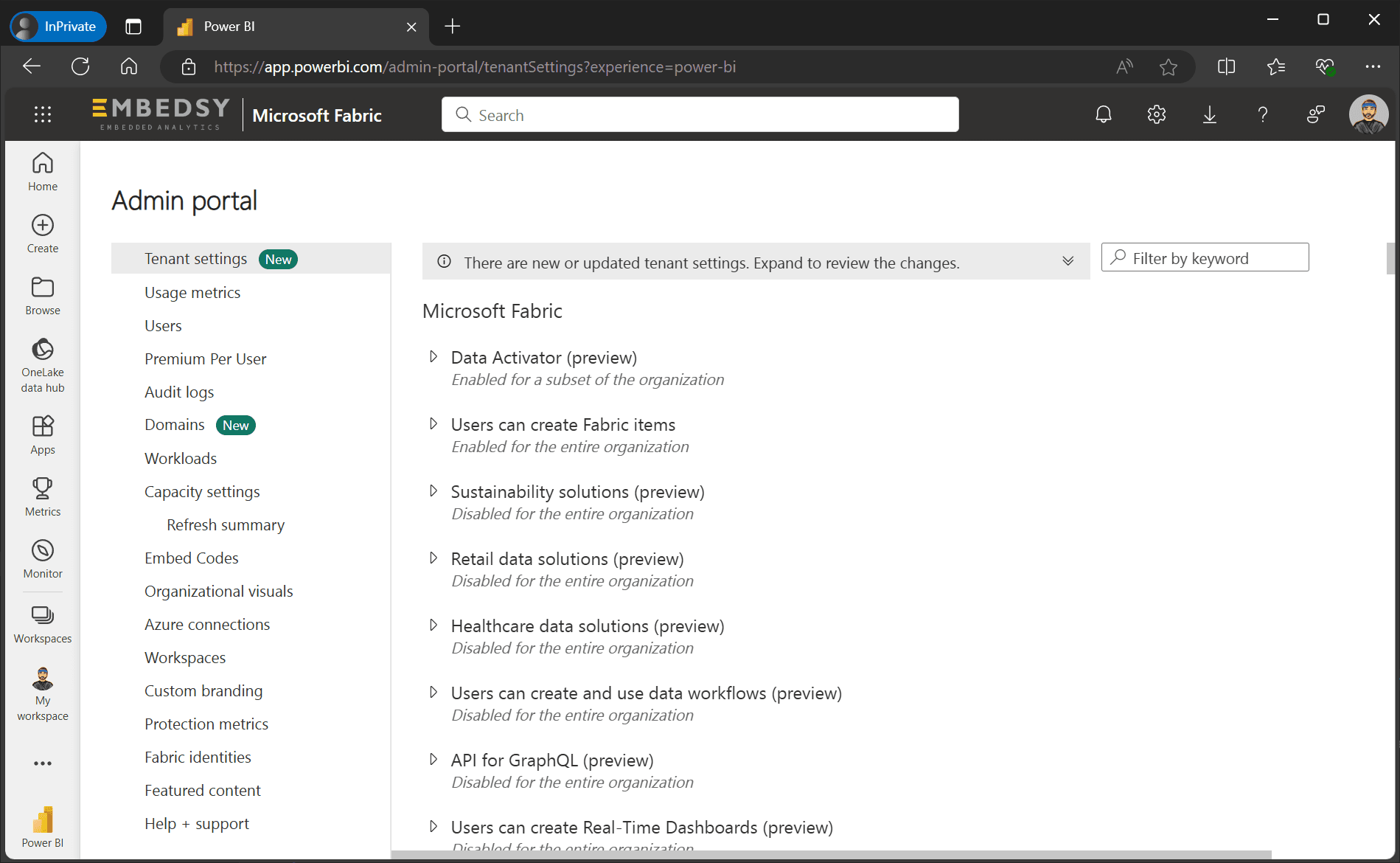
- Open the tenant settings. In Fabric, they are under OneLake catalog > Govern > Configurations > Tenant settings, or Settings (gear icon) > Admin portal > Tenant settings where the OneLake catalog isn't available yet. If you don't have access, ask your Fabric, Power BI or Global Admin.
- Under Developer settings, enable Embed content in apps for the security group and select Apply.
- Under Developer settings, enable Service principals can call Fabric public APIs for the security group and select Apply. The separate setting Service principals can create workspaces, connections, and deployment pipelines isn't needed.
Changes to tenant settings can take up to 15 minutes to take effect. Next, give the Service Principal access to your capacity.