


Entra Security Group
The Fabric admin settings can only be enabled for security groups, not for a single app. So the Service Principal you created goes into its own security group, and the following installation steps grant access to that group.
How to create an Entra Security Group and add the Service Principal to it
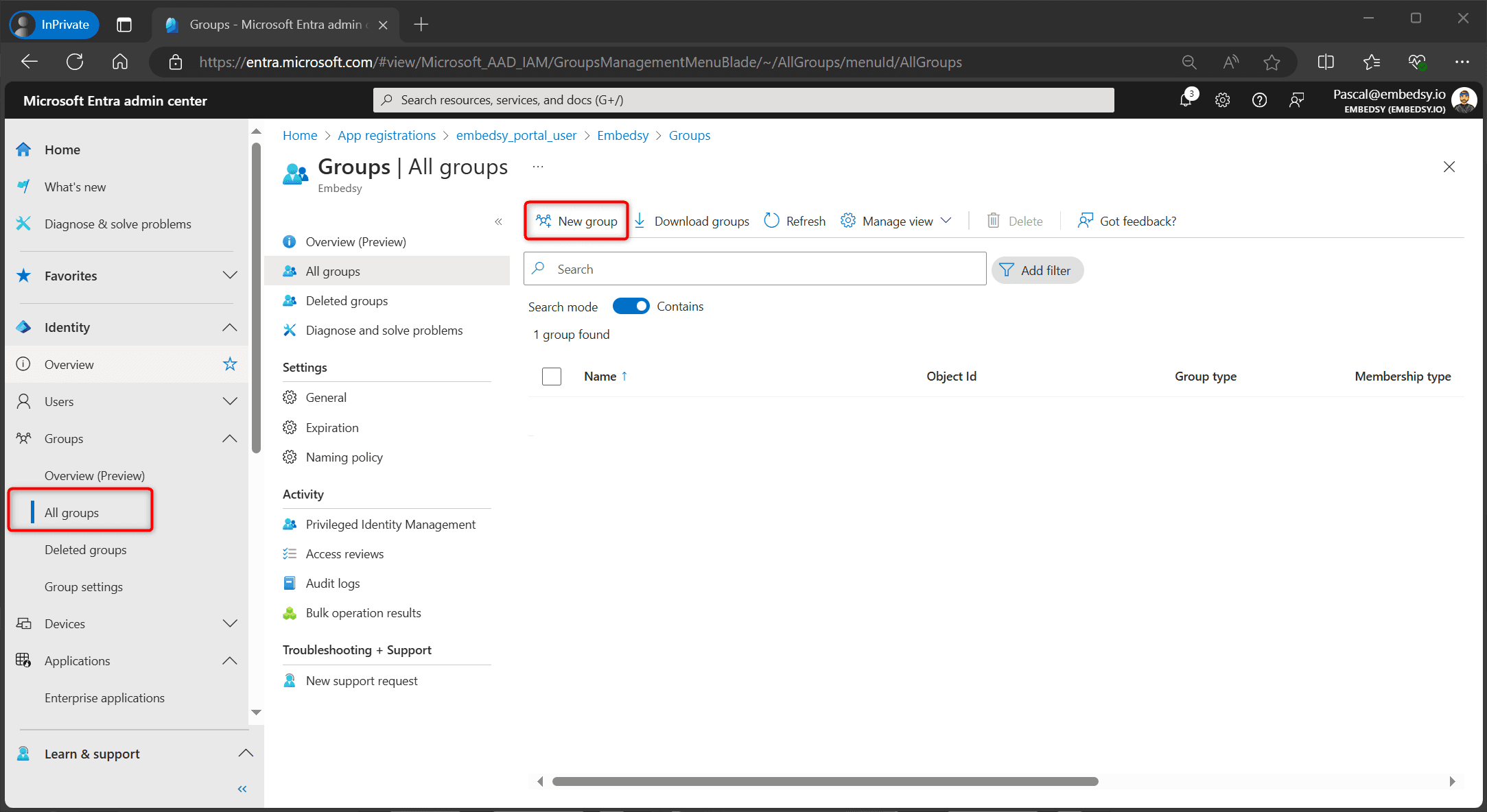
- In the Microsoft Entra admin center, go to Entra ID > Groups > All groups and select New group.
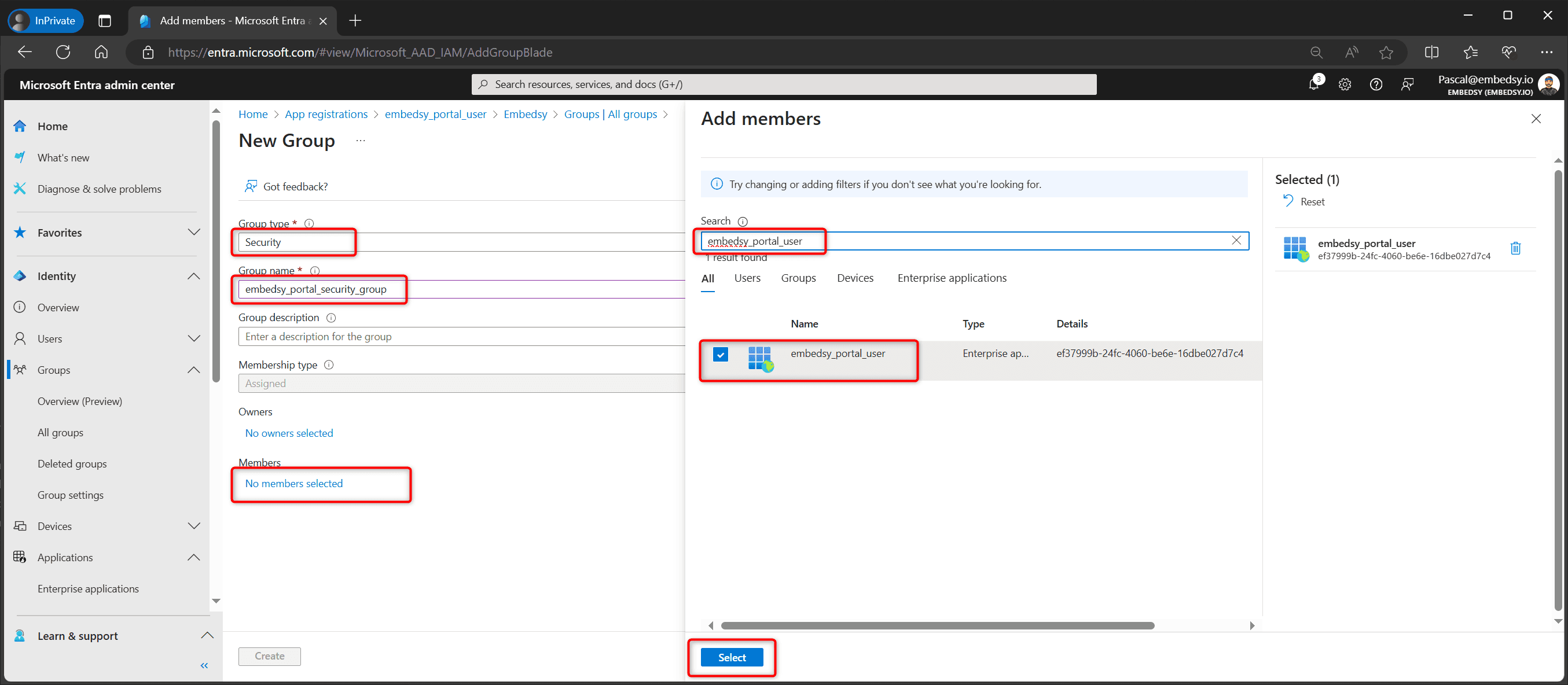
- Set Group type to Security and enter a group name of your choice. Under Members, select No members selected, search for the name of your Service Principal, select it and select Select.
Your Service Principal probably has a different name than the one in the screenshot. Search for the app you registered in the previous step.
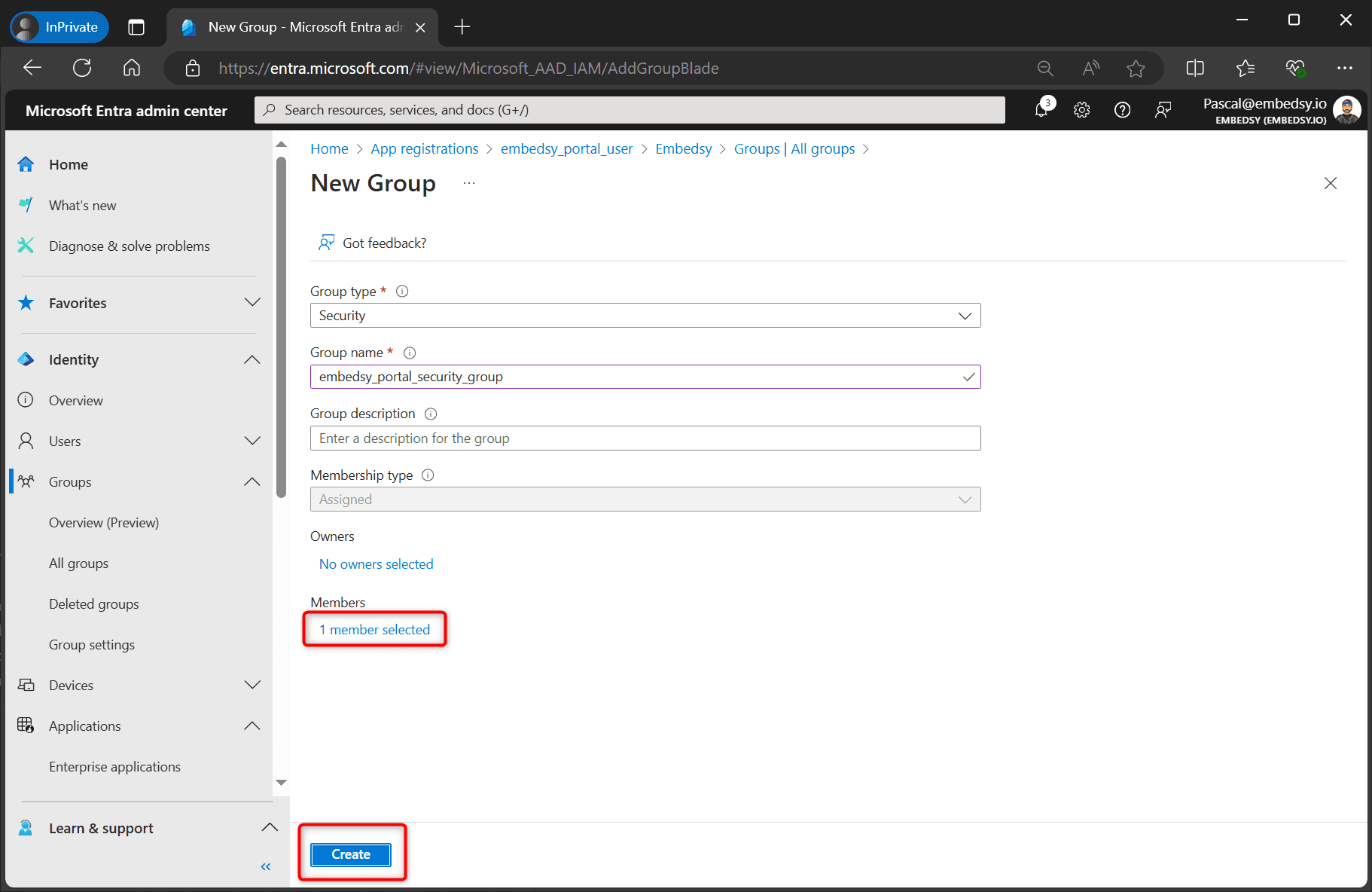
- Check that Members shows 1 member selected, then select Create.
- Continue with the Fabric admin settings.