


Editing Reports in the Embedsy Portal
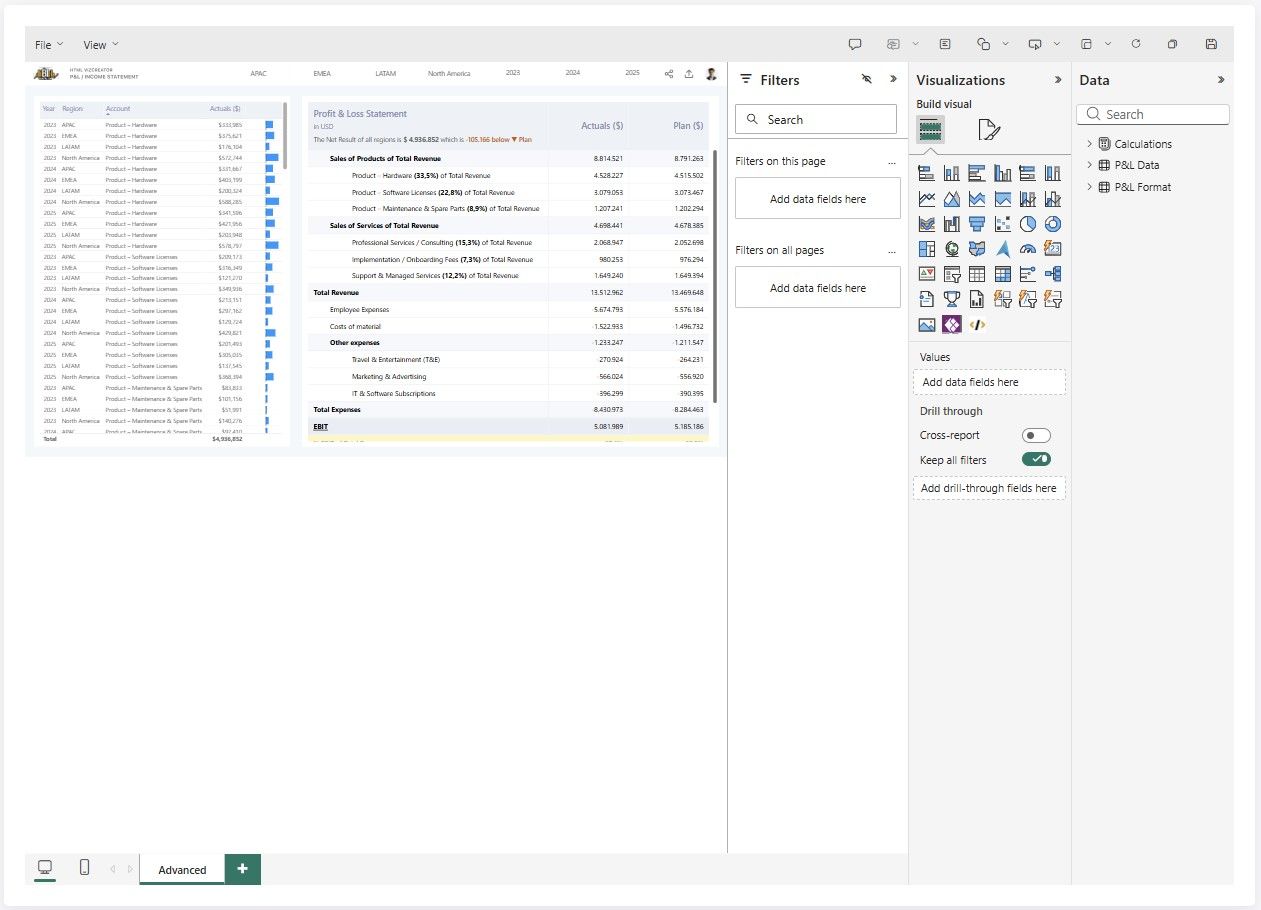
Users with the right permission can edit Power BI reports directly in the portal. In Edit Mode you can modify visuals, change layouts, add or remove report pages, and save your changes without opening Power BI Desktop.
What You Need
- Your role must have the "Can edit report" permission enabled. A Super Admin sets it on the role (see below).
- You must be viewing a standard Power BI report. Paginated reports do not support Edit Mode.
How to Enter Edit Mode
- Navigate to the report you want to edit.
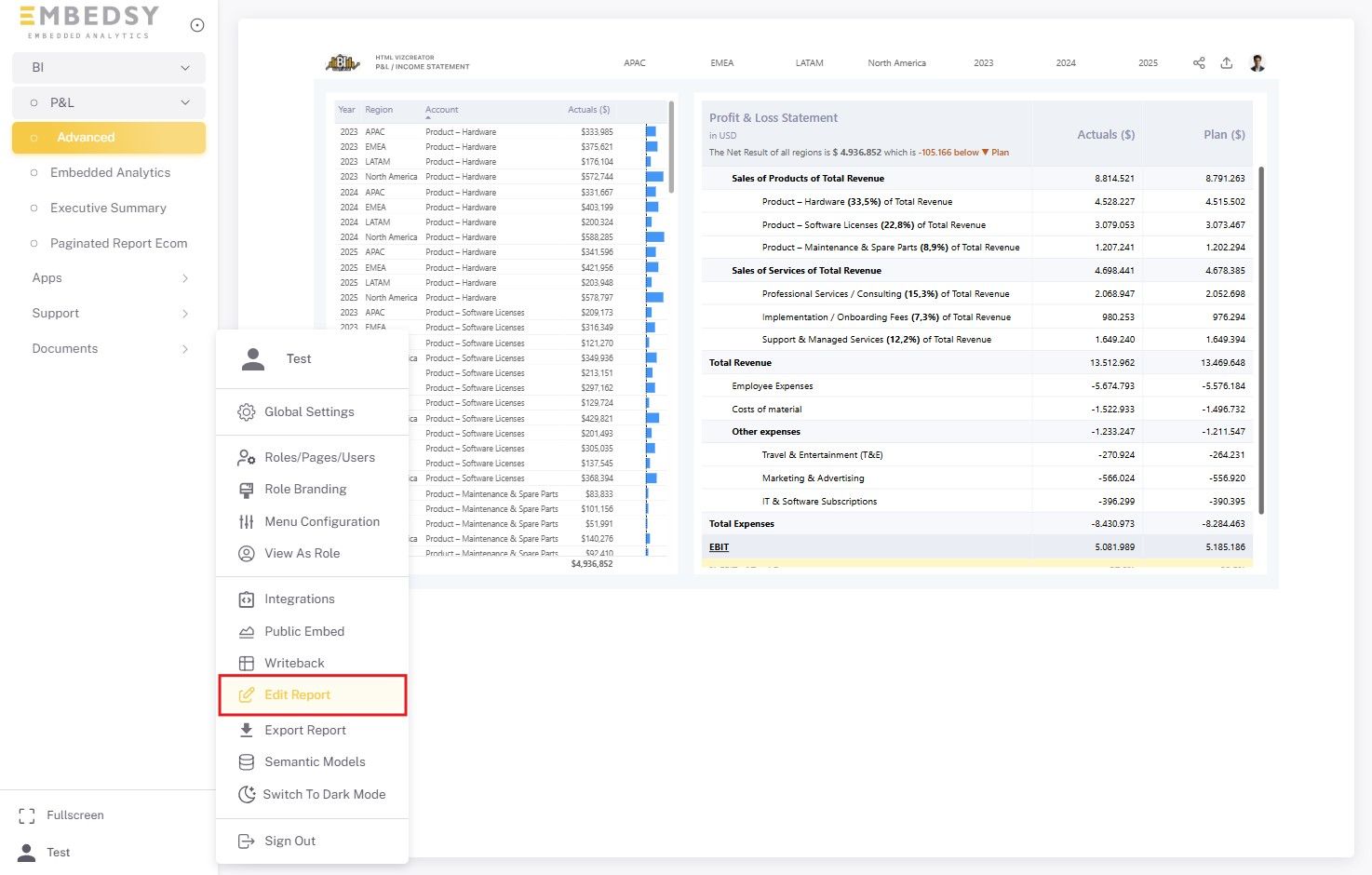
- Open the user menu by clicking your profile icon at the bottom of the navigation on the left.
- Click "Edit Report". The report reloads in Edit Mode with the Power BI editing toolbar at the top.
What You Can Do in Edit Mode
Edit Mode opens the full Power BI report editor:
- Adding, removing, resizing, and repositioning visuals (charts, tables, cards, etc.)
- Changing visual types and configuring their formatting options
- Editing filters and slicers on the report
- Adding or removing report pages
- Saving the report or using Save As to create a copy
Saved changes are written to the report in its Power BI workspace, so everyone who opens the report afterwards sees them. Save As creates the copy in the same workspace; it appears in the portal only once you add it as a page.
How to Exit Edit Mode
Open the user menu again and click "Exit Edit Mode". Navigating to a different report also ends Edit Mode, and the next report opens in the normal view.
If the report has unsaved changes, the portal asks whether to save them first: Save keeps them, Don't Save discards them, and closing the dialog keeps you in Edit Mode. Closing or reloading the browser tab while editing triggers the browser's own leave-page warning.
How to Grant Edit Permission to a Role
Only Super Admins can change the edit permission; for other admins the checkbox is greyed out. To grant it:
- Go to the Roles/Pages/Users configuration page.
- Open the Roles tab, find the role and click Edit Role. For a role based on an Entra group, use the Entra Roles tab and View / Edit instead.
- Enable the "Can edit report" checkbox and save your changes.
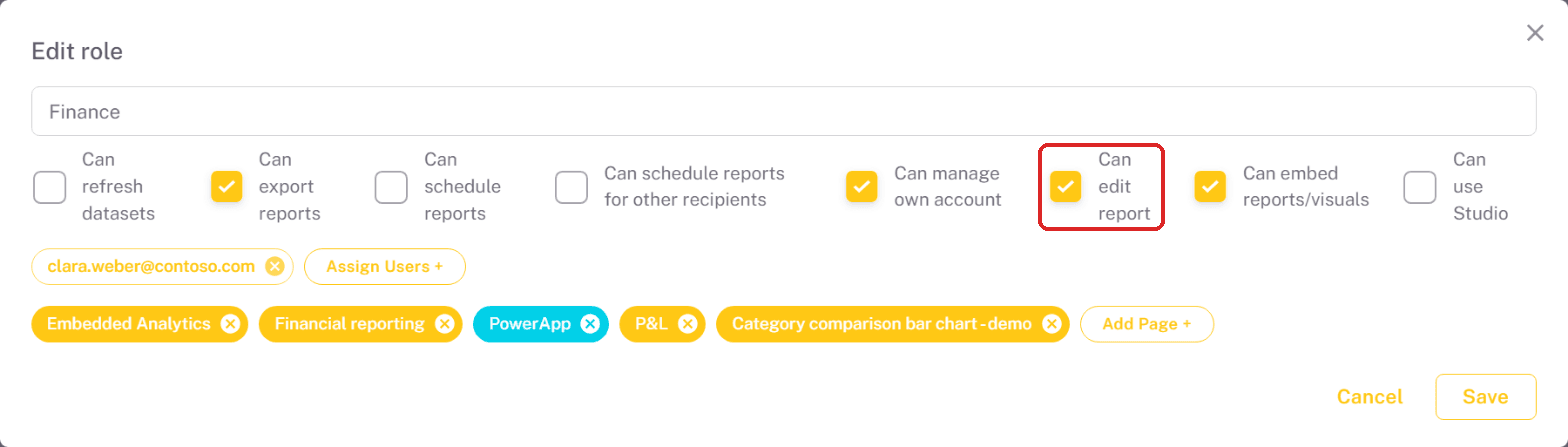
All users assigned to that role then see "Edit Report" in their user menu when viewing a report.
The edit permission applies to all reports the role has access to — it is not configured per individual report. Users with it can modify any report they can view. Paginated reports always remain read-only.