


Sharing & Ownership
★ Premium feature
This is a premium feature, available with an active premium subscription or trial. If you don't see it, contact us or your Admin to add it to your plan.
Preview feature
This feature is currently in preview. If you don't see it, contact us or your Admin to activate it.
Preview features:
- are provided as-is and aren't meant for production use.
- may have limited or restricted functionality, and details may change before general availability.
- are supported on a best-effort basis and may be subject to reduced or different security, compliance, and privacy commitments.
Apps, DAX queries and AI agents all follow the same access model. It governs who can see and edit an item inside Studio. Who can open a published app's link depends first on whether the app is public or private, which is covered at the end of this page.
Ownership
Items are owned by a role, not by a person. When you create an app, query or agent, it is assigned to your role. That means colleagues in the same role can pick up each other's work, and nothing is orphaned when someone leaves.
Who sees what
A role sees an item if any of the following is true:
- It owns the item.
- The item has been shared with it, either as a portal role or as an Entra role.
- The item is global - it has no owner and is available to everyone with Studio access.
- The role is an admin or super admin, which sees every Studio item in the portal.
The chips on each card in the lists show who has access: a filled chip for each role the item is shared with, and an outlined chip for the owning role. Admins and super admins are not listed, since they always have access. The Filter by role with access box narrows a long list to a single audience.
Sharing an item
The Share icon opens a dialog listing the portal roles and Entra roles available as audiences. Pick as many as you like and save. A few rules apply:
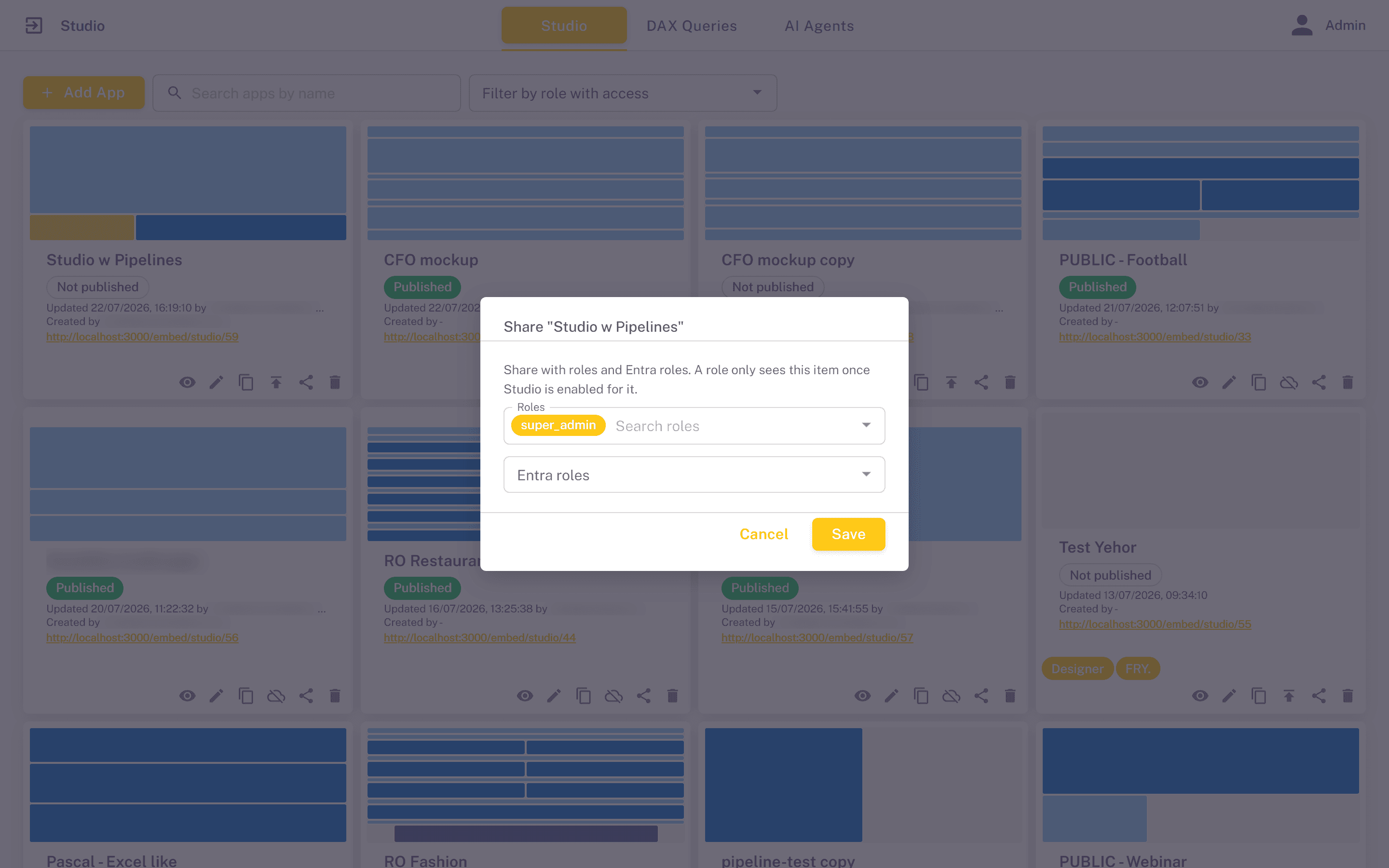
- Only the owning role can share, along with admins and super admins. Roles that merely received a share cannot pass it on.
- The owner cannot be removed. The owning role, and the admin roles that always have access, appear locked in the dialog.
- Sharing with a role that does not have Studio enabled is allowed, but nothing becomes visible to it until Can use Studio is granted to that role. This is convenient when you are preparing access ahead of a rollout.
Sharing grants full working access to the item - a role it has been shared with can open, edit, publish and delete it. There is no read-only share: to let a role view a private app without editing it, add the app to that role's menu as a portal page instead.
Sharing the parts of an app
Sharing an app does not automatically share the DAX queries and AI agents it uses. A published app keeps working regardless - it serves the layout that was published - but a colleague who opens the app in the editor will not be able to change a visual whose query they cannot see, or reselect an agent that is not shared with them. When handing an app over to another team, share the queries and agents behind it as well.
Sharing versus publishing
These are separate settings, and it is worth being clear about how they interact:
- Sharing controls who can build with an item inside Studio. It applies to signed-in portal users, by role.
- Publishing a public app puts it on a link that requires no sign-in at all. Restricting who the app is shared with does not restrict who can open its link.
- Publishing a private app puts it on a link that requires signing in to the portal, and there sharing does count: the owning role and the roles it is shared with can open it, along with admins and roles that have a portal page embedding the app. See Public or private for how to switch an app.
Never rely on sharing to protect a public app. Anyone with the link sees a public app and all the data it displays, whichever roles it is shared with. If the data is not safe to expose, turn on Private in the app editor, or keep the app unpublished.