
Assigning the Service Principal to the Fabric or Power BI Embedded Capacity
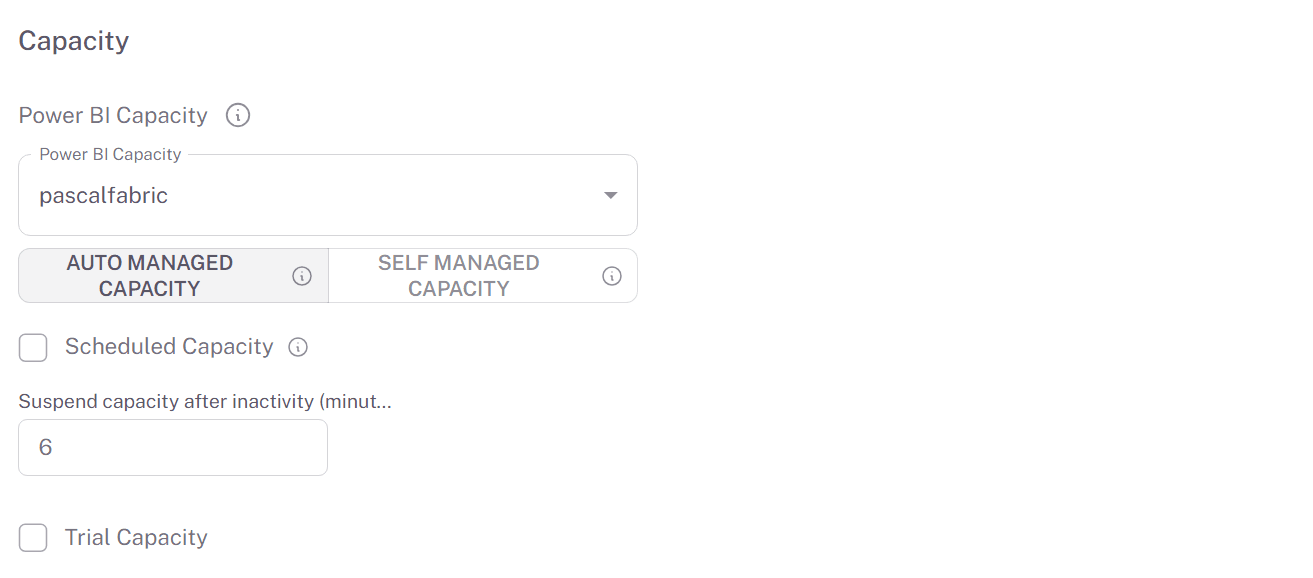
To keep your licensing costs low, the Embedsy Portal can start your capacity when people use the portal and pause it when they don't. For this, the security group with the Service Principal needs the Contributor role on the Microsoft Fabric or Power BI Embedded capacity in the Azure Portal.
This only applies to paid Fabric or Power BI Embedded capacities. If you are using a free trial capacity, skip this step and come back once you have a paid capacity.
How to give access to the Capacity
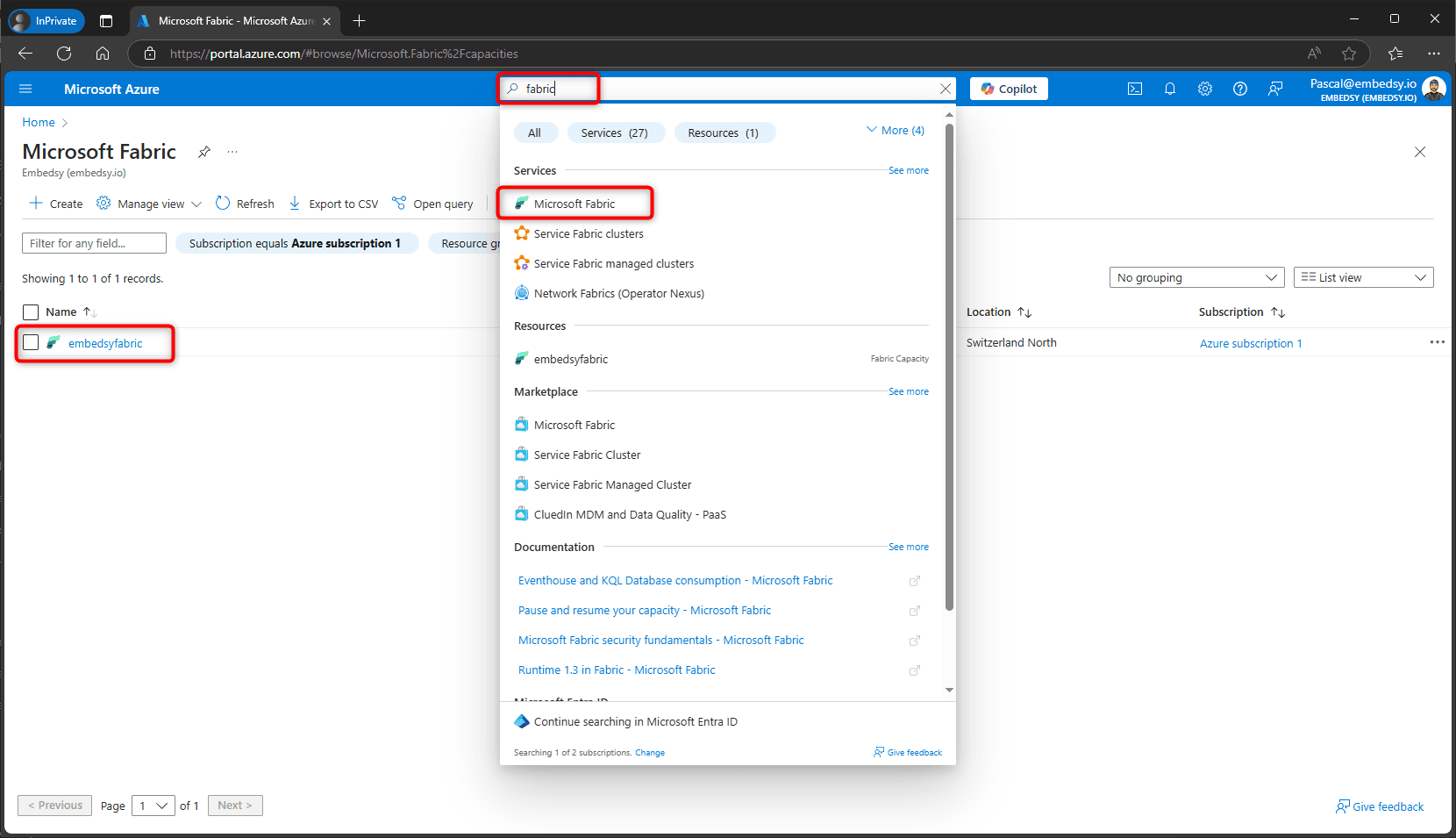
- Sign in to the Azure Portal and search for Microsoft Fabric or Power BI Embedded, depending on your capacity. The list shows the capacities you have access to. Open the one the Embedsy Portal should use.
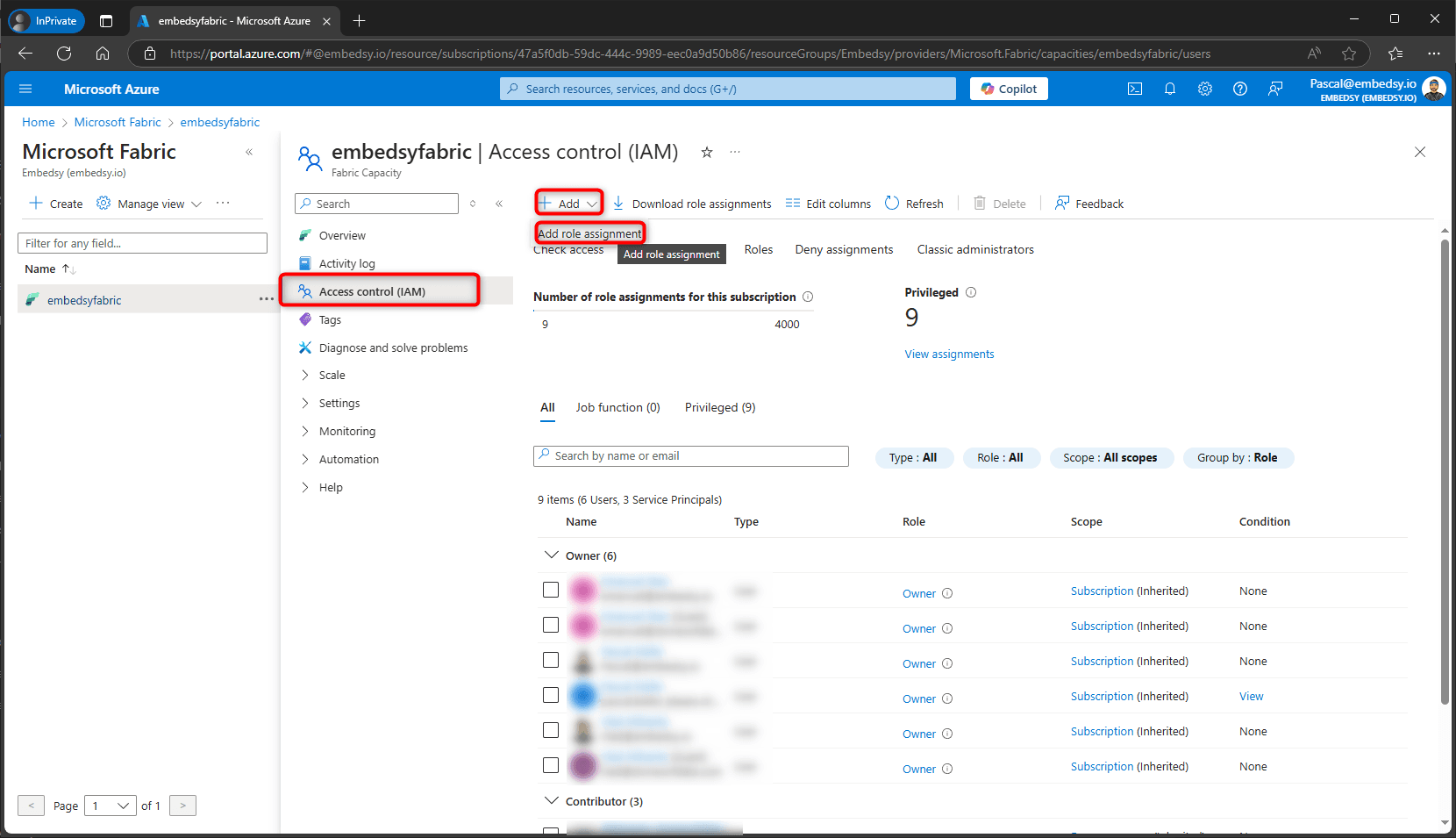
- Select Access control (IAM), then Add > Add role assignment.
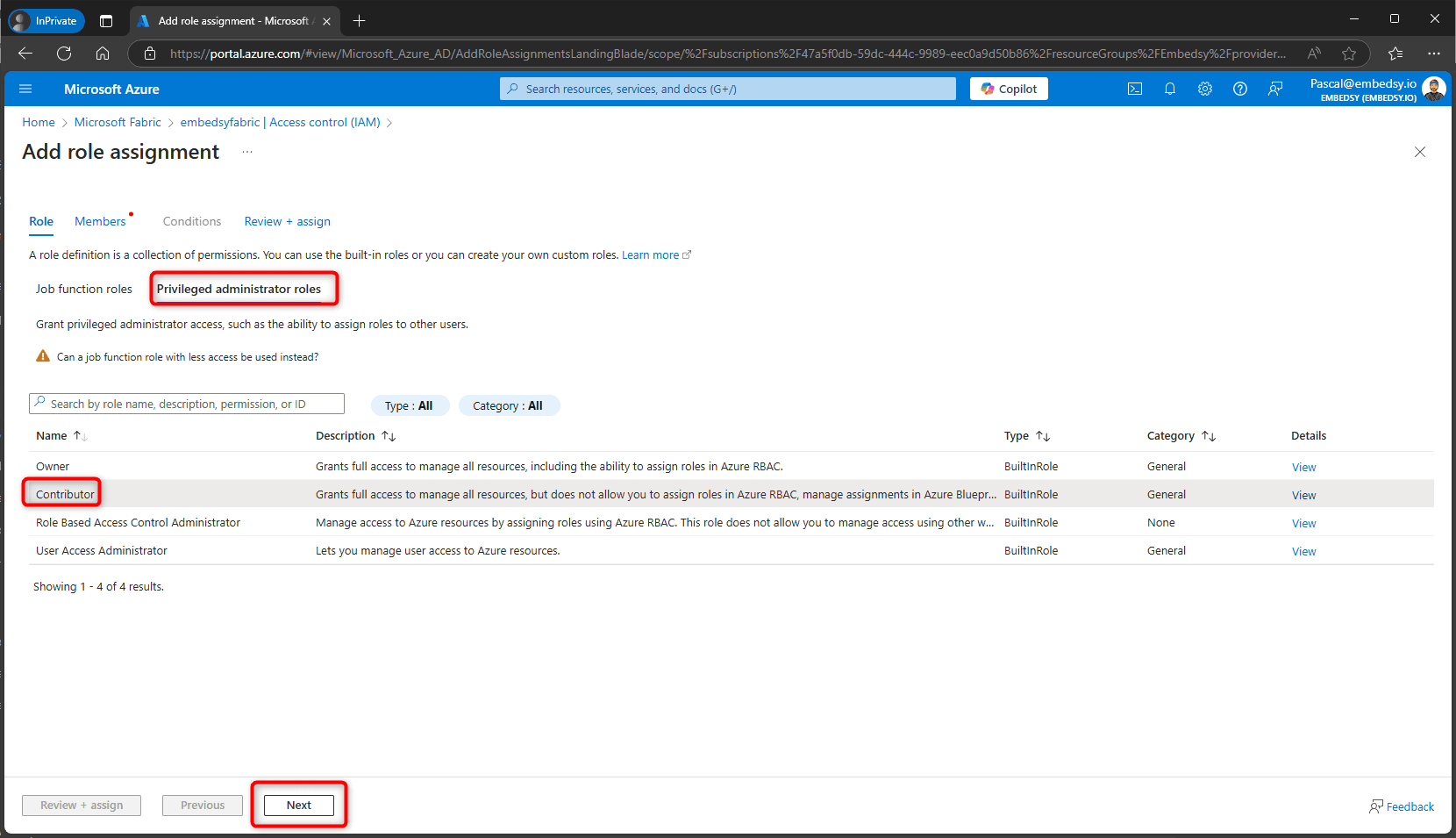
- On the Privileged administrator roles tab, select Contributor and select Next.
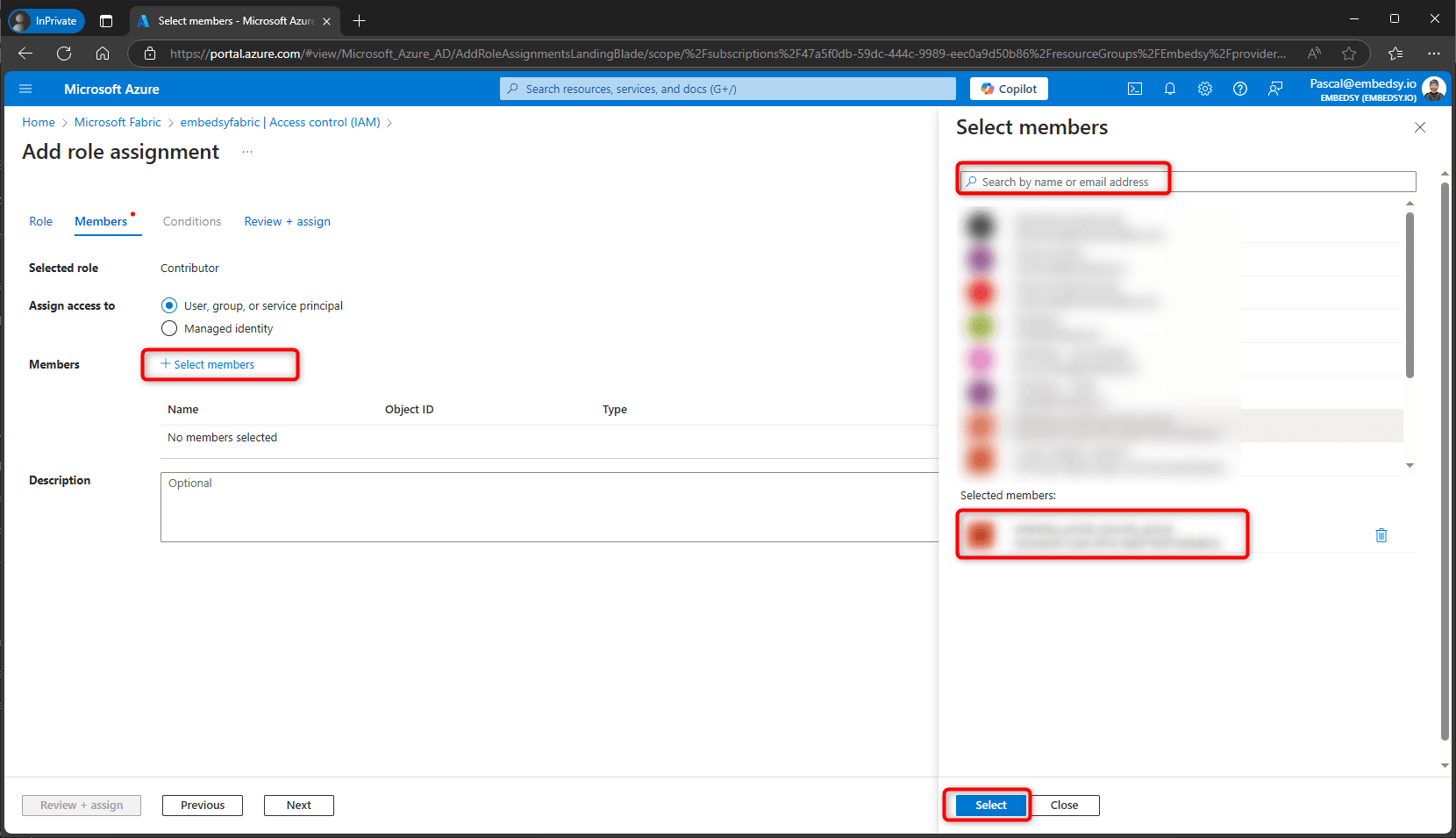
- With User, group, or service principal selected, choose Select members, search for the security group you created earlier, select it and choose Select.
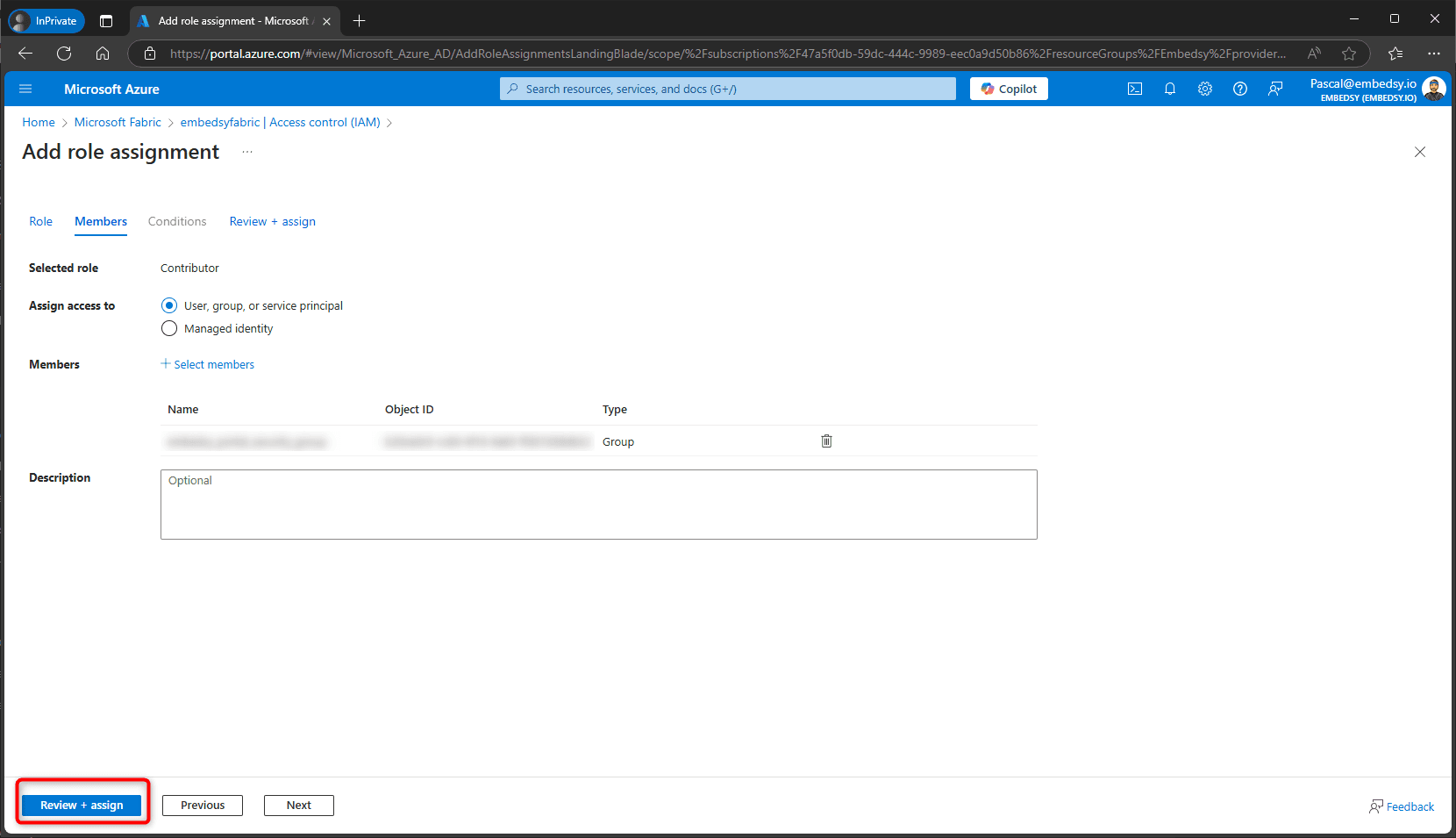
- Select Review + assign, and again on the last tab.
- Once the portal is installed, select the capacity in the portal's Global Settings under Capacity > Power BI Capacity, and save. The list only shows capacities the Service Principal has access to.