


Semantic Models
The Semantic Models screen lists the Power BI semantic models behind your embedded reports. From here you can refresh a model on demand, see when it last refreshed and whether that refresh succeeded, and control whether the model is available to Embedsy's AI features.
Opening Semantic Models
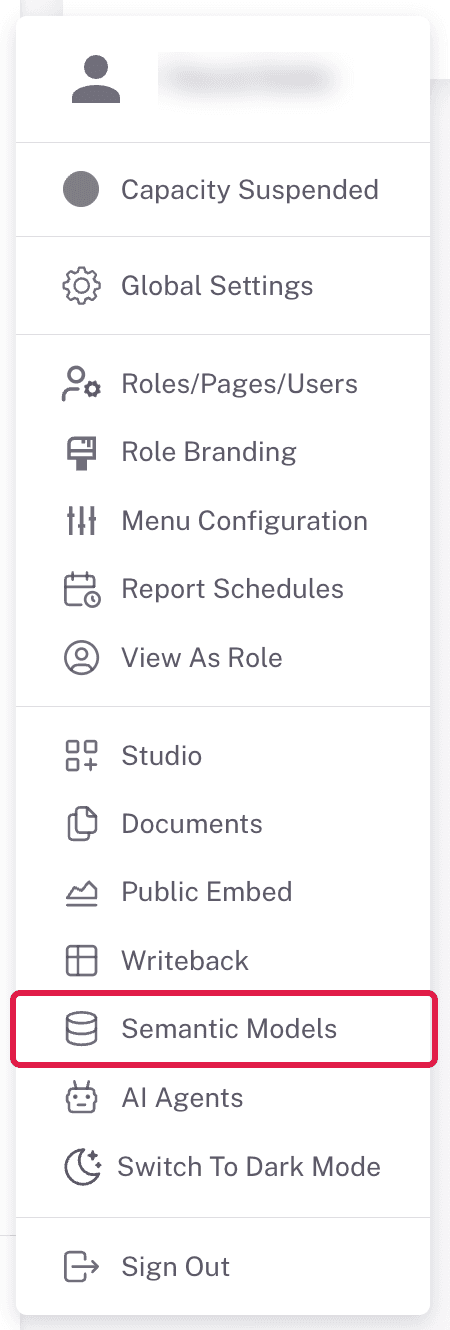
Open Semantic Models from the user menu at the bottom of the portal navigation. It is available to admins and to any role with the Can refresh datasets permission. The screen shows one card per semantic model used by a Power BI report page (paginated reports are not listed). Super admins see every model; everyone else sees the models behind the reports assigned to their own roles. Use Search By Title to narrow a long list.
What each card shows
- Title - the report that uses the model. If several reports share one model, the card shows one of them.
- Workspace - the Power BI workspace it lives in.
- Last refresh status - the result of the most recent refresh: Success, Failed, or Unknown while a refresh is still running. N/A means no refresh is known yet.
- Last refresh date - when that refresh ran.
Refreshing a model
Refresh Dataset starts a refresh of that semantic model in Power BI. While it runs, the button reads Refreshing Dataset with a spinning icon; click it again to cancel a refresh that is in progress. The status and date update once it finishes.
Open to LLMs
The Open to LLMs checkbox controls whether a semantic model can be used by Embedsy's AI and query features. It is only shown to admins and takes effect immediately. Only models that are open appear in:
- the DAX query editor and its AI assistant, where the queries for the D3 and Vega components in Studio are written,
- the AI Agent component in Embedsy Studio, which lets AI agents answer questions from a model's data,
- the AI agent chat beside the reports built on the model.
Leave it off and the model is hidden from all of these - a simple way to keep specific models out of AI tooling. Turning it off later doesn't delete DAX queries already saved on the model.
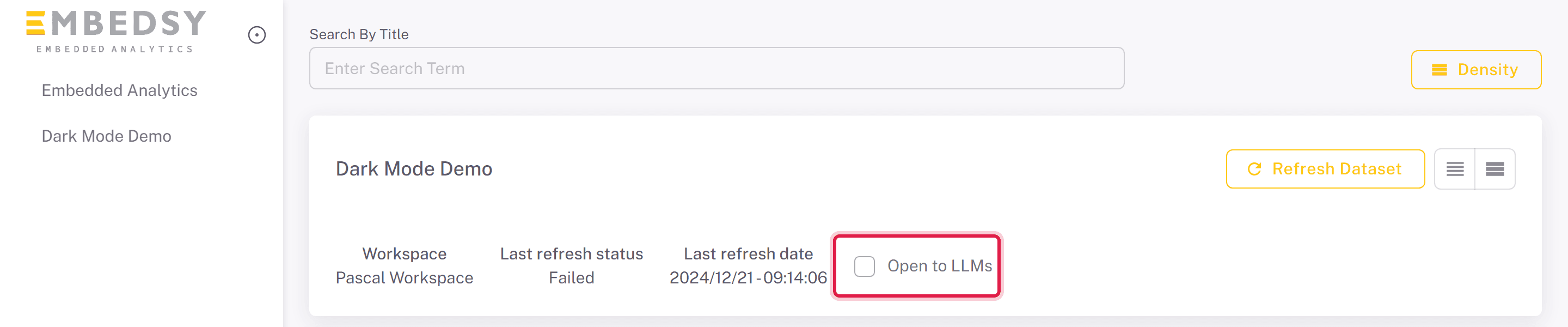
Once a model is open, an AI agent drop-down appears on its card. Pick an agent there and it answers questions in a chat panel beside every report built on that model, for roles with Can use AI agents; see AI Agents. Choose No agent to remove the chat. Turning Open to LLMs off also removes the agent.

Treat this as granting AI access to the data. Only open up models whose contents are appropriate for natural-language querying and for everyone who can use those AI features.